Ringtones Maker for iPhone ‣

Ringtones Maker for iPhone ‣ Summary
Ringtones Maker for iPhone ‣ is a free, ad-supported, with in-app purchases iOS app in Music And Audio by Rounding Squares BV. Released in Oct 2020 (6 years ago). It has 86K ratings with a 4.50★ (excellent) average. Based on AppGoblin estimates, it reaches roughly 219K monthly active users and generates around $10K+ monthly revenue (34% IAP / 66% ads). Store last updated Jul 7, 2026
Recent activity: 179 new ratings this week View trends →
SDK intelligence: AppGoblin detected 4 development tools(e.g. Google), 2 ad networks, 1 analytics: product,and 1 business tools integrated into Ringtones Maker for iPhone ‣. View full SDK list →
Ringtones Maker for iPhone ‣ SDKs Summary
Ringtones Maker for iPhone ‣ was last scanned for SDKs on 2026-09-24. Below is the overview of third-party companies detected in the app. The full list of SDKs, permissions and unknowns is available here.
 Google
 AdMob
AdMob nanopb
 Alamofire
 OpenID
 Firebase
 RevenueCat
4.5★
Ratings: 86K
Screenshots
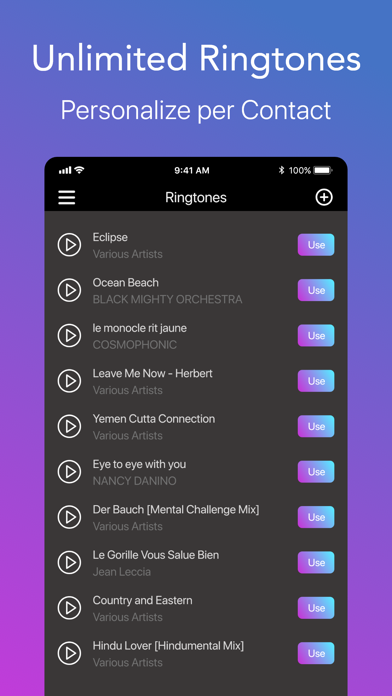
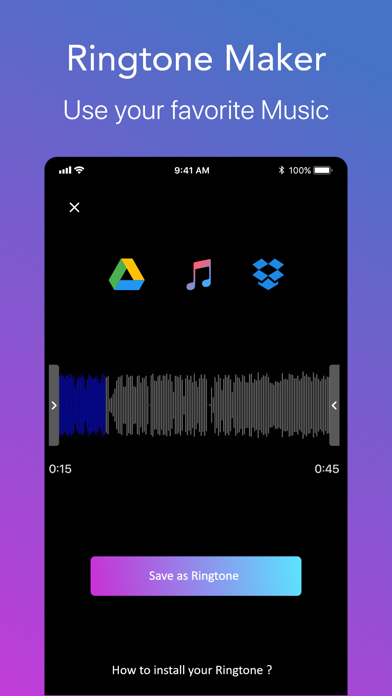
App Description
> Best Ringtone app for your phone
> Fully customize your phone with your favorite Music or Video
> Get beautiful Contact Posters to personalize your screen calls
Make your friends jealous with your own custom ringtones and Contact Posters!
And let your phone be a source of joy when you receive a call!
Features:
- Download your music to create awesome ringtones
- Powerful sound designer to edit your own perfect ringtone
- Download custom Contact Posters to personalize your contacts screen calls
- No computer needed. Install from your iPhone, in less than 2 minutes!
- Set a specific ringtone for each contact
- Unlimited tunes for your pleasure
Download now and personalize your phone!
SUBSCRIPTIONS:
You can subscribe to upgrade to Premium features
- Subscriptions length: weekly, yearly
- Your payment will be charged to iTunes Account at confirmation of purchase
- Subscription automatically renews unless auto-renew is turned off at least 24-hours before the end of the current period
- Account will be charged for renewal within 24-hours prior to the end of the current period, and identify the cost of the renewal
- Subscriptions may be managed by the user and auto-renewal may be turned off by going to the user's Account Settings after purchase
- To Manage or Cancel your subscription, it can be done via the Settings app of your device: Open the Settings app, Tap your name, Tap Subscriptions, Tap the subscription, Tap Cancel Subscription. You might need to scroll down to find the Cancel Subscription button. If there is no Cancel button or you see an expiration message in red text, the subscription is already canceled. For more detail, see https://support.apple.com/en-us/118428 .
- To Manage or Cancel your subscription, it can also be done directly from the app: Go to ‘Settings’ screen inside our app, tap on ‘Manage Subscriptions’ and the app will directly open the list of your Subscriptions with the AppStore. You can select a subscription and check available plans or cancel subscription.
- When canceling a subscription, your subscription will remain active until the end of the period. Auto-renewal will be disabled but the current subscription will not be refunded.
- Any unused portion of a free trial period, if offered, will be forfeited when the user purchases a subscription to that publication, where applicable
Read our Privacy Policy at: https://ro