WebDebug - Web debugging tool

WebDebug - Web debugging tool Summary
WebDebug - Web debugging tool is a with in-app purchases iOS app in Developer Tools by Shanghai Dazhuo Information Technology Co., Ltd.. Released in Jun 2020 (5 years ago). It has 25 ratings with a 4.48★ (good) average. Based on AppGoblin estimates, it reaches roughly 103 monthly active users and generates around $<10K monthly revenue (100% IAP / 0% ads). Store metadata: updated Jul 3, 2024.
Store info: Last updated on App Store on Jul 3, 2024 .
4.48★
Ratings: 25
Screenshots




App Description
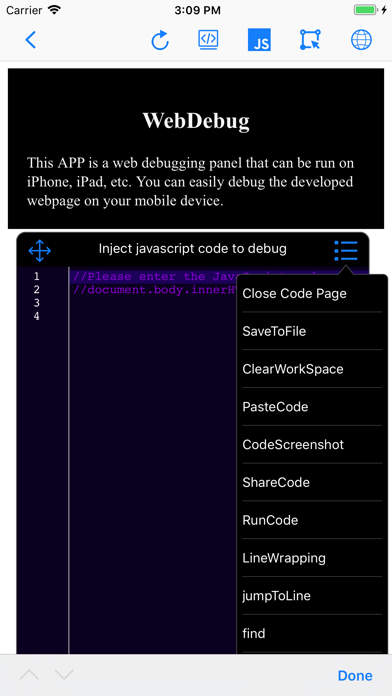
This app is a web debugging panel that can be run on iPhone, iPad, and other devices. You can conveniently debug web pages on your mobile phone. It supports local static websites, allows for testing multiple projects locally, and manages various document files.
Features:
- Debug by inputting the URL
- Debug by scanning a QR code to open the URL
- Automatically save debugging page link information to the database and record debugging time
- View console logs
- View system information
- View network requests
- View page element structure
- View cookies, localStorage, and SessionStorage
- Input JavaScript commands, e.g., alert(document.body.outerHTML);
- Inject JavaScript code snippets or plugins for web page debugging (e.g., injecting jq, vue plugins or JS code snippets), with the console displaying return values
- Web page code editing and preview function
- Code auto-suggestions for HTML, JavaScript, CSS, and content
- Keyboard extensions
- Tokenization of debugging code for easy input
- HTML, CSS, and JavaScript code input with auto-suggestions, auto-bracket matching, line numbering, code folding, and more
- Syntax error correction for HTML, CSS, and JavaScript code input, further enhancing mobile testing capabilities
Version 1.5 introduces the following new features:
1. Static server function: You can now start a local static server on your phone, supporting the creation of multiple local websites for testing. It supports WiFi, WebDAV file management, remote file downloading with decompression, direct preview of most document, video, audio, image files, and various code files on your phone.
2. Automatic injection of window.onerror code before page loading: Now, before the page loads, the application will automatically inject some code into the webpage that helps capture potential errors and print these error messages to the application's console. You can also choose to send these error reports to a backend server for further analysis and processing.
3. Show network requests when shaking the phone: When you shake your phone, the application will display the network requests made by the current page. This can help you better understand the communication between the application and the server. Additionally, you can choose to send the recorded HTTP request logs via email for further analysis.
4. jQuery-like element selector function: The application has