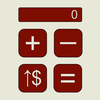
Calculator Unbound

Calculator Unbound icon

ASO Keyword Dashboard

Tracking 89 keywords for Calculator Unbound in Apple App Store

Developer: Tracy Mansfield Category: education

Calculator Unbound tracks 89 keywords (no keywords rank yet; 89 need traction). Key metrics: opportunity 70.4, difficulty 41.2.

Tracked keywords

89

0  ranked •  89  not ranking yet

Top 10 coverage

Best rank — • Latest leader —

Avg opportunity

70.4

Top keyword: among

Avg difficulty

41.2

Lower scores indicate easier wins

Opportunity leaders

  • among

    Opportunity: 73.0 • Difficulty: 42.3 • Rank —

    Competitors: 286

    67.3
  • needed

    Opportunity: 73.0 • Difficulty: 41.2 • Rank —

    Competitors: 156

    66.7
  • displayed

    Opportunity: 73.0 • Difficulty: 40.1 • Rank —

    Competitors: 107

    65.9
  • monitoring

    Opportunity: 73.0 • Difficulty: 41.8 • Rank —

    Competitors: 129

    67.5
  • positive

    Opportunity: 73.0 • Difficulty: 40.9 • Rank —

    Competitors: 158

    66.7

Unranked opportunities

  • among

    Opportunity: 73.0 • Difficulty: 42.3 • Competitors: 286

  • needed

    Opportunity: 73.0 • Difficulty: 41.2 • Competitors: 156

  • displayed

    Opportunity: 73.0 • Difficulty: 40.1 • Competitors: 107

  • monitoring

    Opportunity: 73.0 • Difficulty: 41.8 • Competitors: 129

  • positive

    Opportunity: 73.0 • Difficulty: 40.9 • Competitors: 158

High competition keywords

  • time

    Total apps: 189,496 • Major competitors: 4,121

    Latest rank: — • Difficulty: 54.6

  • access

    Total apps: 181,321 • Major competitors: 3,504

    Latest rank: — • Difficulty: 54.8

  • free

    Total apps: 176,215 • Major competitors: 5,391

    Latest rank: — • Difficulty: 55.2

  • like

    Total apps: 153,440 • Major competitors: 4,507

    Latest rank: — • Difficulty: 54.9

  • using

    Total apps: 114,438 • Major competitors: 2,224

    Latest rank: — • Difficulty: 52.7

All tracked keywords

Includes opportunity, difficulty, rankings and competitor benchmarks

Major Competitors
free651005587

176,215 competing apps

Median installs: 650

Avg rating: 4.2

5,391

major competitor apps

better691004877

41,372 competing apps

Median installs: 450

Avg rating: 4.2

979

major competitor apps

support671005182

83,509 competing apps

Median installs: 400

Avg rating: 4.2

1,602

major competitor apps

particularly711003354

1,858 competing apps

Median installs: 250

Avg rating: 4.1

23

major competitor apps

used691004878

50,460 competing apps

Median installs: 350

Avg rating: 4.0

698

major competitor apps

created711004573

26,221 competing apps

Median installs: 400

Avg rating: 4.2

448

major competitor apps

choose671005282

89,447 competing apps

Median installs: 550

Avg rating: 4.2

2,542

major competitor apps

using661005384

114,438 competing apps

Median installs: 450

Avg rating: 4.1

2,224

major competitor apps

money701004875

30,516 competing apps

Median installs: 750

Avg rating: 4.2

1,105

major competitor apps

menu721004470

15,772 competing apps

Median installs: 550

Avg rating: 4.3

195

major competitor apps

time651005588

189,496 competing apps

Median installs: 400

Avg rating: 4.1

4,121

major competitor apps

special691005078

48,146 competing apps

Median installs: 500

Avg rating: 4.2

1,434

major competitor apps

among731004267

11,105 competing apps

Median installs: 450

Avg rating: 4.1

286

major competitor apps

access651005587

181,321 competing apps

Median installs: 350

Avg rating: 4.2

3,504

major competitor apps

students721004371

18,919 competing apps

Median installs: 300

Avg rating: 4.1

102

major competitor apps

hand721004369

14,043 competing apps

Median installs: 500

Avg rating: 4.1

328

major competitor apps

area721004470

16,760 competing apps

Median installs: 300

Avg rating: 4.1

286

major competitor apps

visual701004574

27,930 competing apps

Median installs: 300

Avg rating: 4.3

468

major competitor apps

current681005181

73,056 competing apps

Median installs: 600

Avg rating: 4.2

2,104

major competitor apps

like661005586

153,440 competing apps

Median installs: 500

Avg rating: 4.2

4,507

major competitor apps

see671005383

92,479 competing apps

Median installs: 450

Avg rating: 4.2

2,325

major competitor apps

needed731004167

10,270 competing apps

Median installs: 350

Avg rating: 4.1

156

major competitor apps

color701004775

33,400 competing apps

Median installs: 550

Avg rating: 4.1

889

major competitor apps

next691005078

46,875 competing apps

Median installs: 450

Avg rating: 4.2

1,202

major competitor apps

following701004675

30,543 competing apps

Median installs: 450

Avg rating: 4.0

696

major competitor apps

89 keywords
1 of 4

App Description

We created this calculator for use in Special Education, particularly for students facing moderate-to-profound cognitive and concomitant physical challenges. There was a need for a button grid on a larger screen that would not only lend itself better to classroom activities (e.g., money math, next dollar strategy, monitoring entire equations, and so forth), but which was also free of ads, prices, and games. We also needed to support accessibility with choices of visual themes.

- Main Screen -

There are some unconventional buttons in the calculator grid:

Next Dollar (↑$): Round up the current number to its next dollar value. This includes the equation's result.

Dollar Sign ($): Add a dollar sign to the current number.

Plus-or-Minus (+/-): Toggle the current number between its positive and negative values.

The "hamburger" icon in the upper left-hand corner opens a side menu.

- Side Menu -

The side menu gives the user access to usability options (displayed in the following order):

1) Toggle the results area to display just one number at a time (like a typical calculator), or the entire equation as it is composed. You can toggle this display back and forth during an equation.

2) Spin the wheel to select from among the displayed font types.

3) Spin the wheel to adjust the size of the font that is used to display the equation.

4) Toggle between using a conventional color scheme (i.e., black, white, grey, and orange) or the high-contrast color scheme selected with the picker wheel (below).

5) Spin the wheel to choose from among a set of high-contrast color schemes. The side menu leaves some of the main screen uncovered so that you can see what a given color scheme will do to the calculator grid (if the above toggle is “on”).