Fontix - Keyboard Fonts

Fontix - Keyboard Fonts Summary
Fontix - Keyboard Fonts is a free, ad-supported, with in-app purchases iOS app in Tools by Cleaner LLC. Released in Jul 2020 (6 years ago). It has 5K ratings with a 4.55★ (excellent) average. Based on AppGoblin estimates, it reaches roughly 17K monthly active users and generates around $<10K monthly revenue (28% IAP / 72% ads). Store last updated Feb 13, 2026
Recent activity: 1.00 new ratings this week View trends →
Fontix - Keyboard Fonts SDKs Summary
App not yet scanned for SDKs.
4.55★
Ratings: 5K
Screenshots

App Description
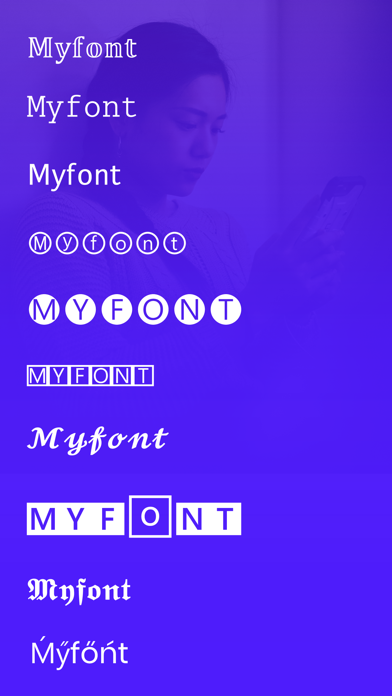
Fontix is the best fonts & keyboards app for iPhone to send fancy texts and create captions, posts, stories on social platforms. Enhance the aesthetics of your texts with the coolest collection of fonts and symbols.
Change the way you write on your iPhone with different types of custom colorful keyboard themes. Transform simple boring words into stylish custom texts with special characters and symbols.
Key Features of Fonts & Keyboard:
- Lots of stylish and cute fonts to choose from
- Use aesthetic fonts everywhere, including Facebook, Instagram, Twitter, WhatsApp, Messenger, Snapchat, etc.
- Countless fancy symbols and letters
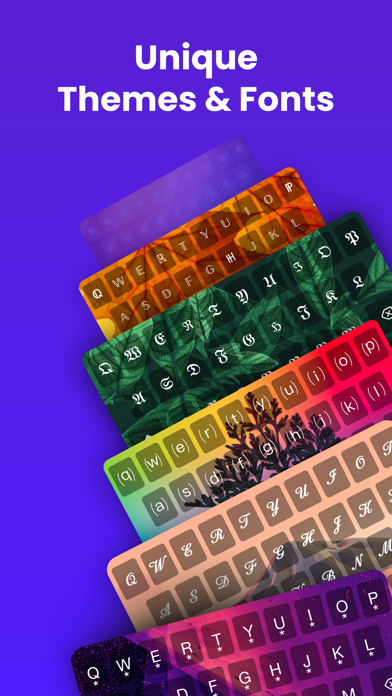
- Elegant collection of keyboard themes
Unique Fonts Types
Fonts & Keyboard app for iPhone lets you incorporate unique fonts styles anywhere you want. Post incredible stories on social platforms using fancy alphabets or letters that fit your mood. Fontix makes it exceptionally easy to directly type in any font into other apps.
Elegant and Cute Keyboard Symbols
Spoil yourself with a diverse range of cool letter symbols. While choosing the writing style, don't worry about how to copy and paste lettering fonts, symbols, or texts. Do it instantly with this fancy keyboard.
iPhone Keyboard Themes
Give your typing keyboards a personalized flair using different types of keyboard patterns. Change the outlook of your iPhone keyboard backgrounds and start typing in style.
How to change font on iPhone using the Fonts & Keyboard app?
Fontix integrates a seamless method of using cool fonts to elevate the keyboard typing experience. Easily change fonts on iPhone by following the steps given below.
- Start the app
- Go to Settings and tap on "Fonts"
- Choose your font types and press "Done"
- Alternatively, hold the "Globe" icon on the keyboard
- Select "Fontix" to change iPhone text fonts
How to change keyboard color on iPhone with Fontix?
Redesign and change iPhone keyboard color in any way you want by using themes. Go through the following steps in your Fontix app to change the color successfully.
- Tap on "Add Keyboard" after starting the app
- Press on "Keyboard" and enable "Fontix"
- Now, change the keyboard themes from the app
Auto-Renewable Subscription Terms:
Subscribe to get unrestricted access to all the features outlined above.
• Subscription Length: Monthly
• Subscription with a free trial period will automatically renew to