enhanceAl

enhanceAl Summary
enhanceAl is a with in-app purchases iOS app in Photo And Video by 3DTOPO Inc.. Released in Oct 2022 (3 years ago). It has 16 ratings with a 4.47★ (good) average. Based on AppGoblin estimates, it reaches roughly 9.00 monthly active users and generates around $<10K monthly revenue (100% IAP / 0% ads). Store metadata: updated Apr 23, 2024.
Store info: Last updated on App Store on Apr 23, 2024 .
4.47★
Ratings: 16
Screenshots
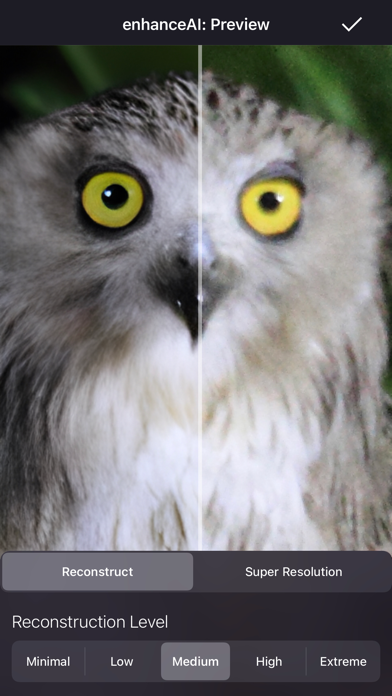
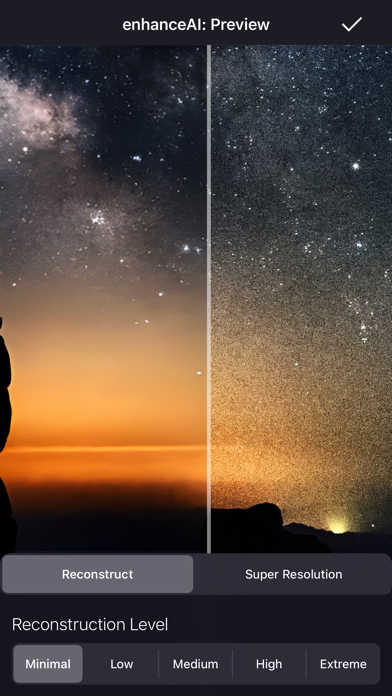
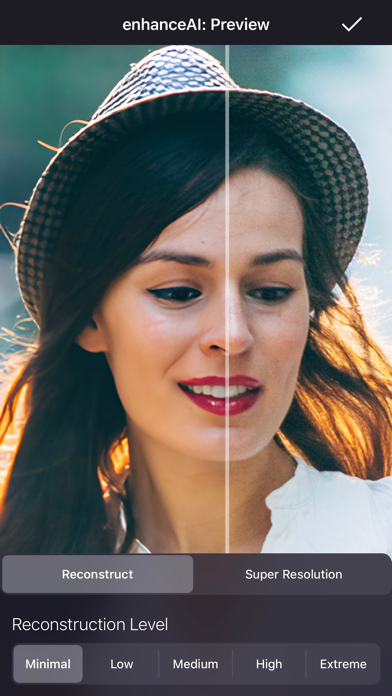


App Description
enhanceAI can vastly improve less-than-ideal images and add incredible detail with our optional Super Resolution.
Automatically remove blur and noise, improve images, and add up to 8x detail with enhanceAI. Don't worry about the details. Just give enhanceAI a less-than-perfect shot, and enhanceAI will do the rest.
Generally, the less perfect or lower resolution an image is, the more dramatic the improvement will be, but enhanceAI can add a neat touch to photos that aren't damaged.
Our optional Super Resolution can add a jaw-dropping 8x detail to portions of images or enlarge entire images up to gigapixels (billions of pixels).
Whether you want to print your photos in high resolution or make them look their best, enhanceAI is the app for you.
About Image Reconstruction
Our Reconstruction mode destroys part of the image and rebuilds it using our neural network trained from millions of examples of high-quality photos.
Practically all less-than-ideal images are likely to gain a noticeable improvement - automatically! For instance: blurry, soft, low-resolution and noisy images are often significantly improved. enhanceAI will breathe new life into old photos.
Depending on the strength and image, it is also possible to get a hyper-realism effect for images that don't require Reconstruction.
The higher the Reconstruction setting, the more the original image is destroyed and rebuilt. The lower the strength, the more detail preserved. Unless an image is severely damaged, higher quality output often results from using the lower settings at the expense of taking longer.
Severely damaged images can benefit from multiple passes of Reconstruction. When using Reconstruction, there is a re-enhance option in the More options menu.
About Super Resolution
Unlike traditional image enlargement that produces undesirable pixelization and artifacts, Super Resolution uses neural networks trained from millions of examples on the difference between low and high-resolution images. Then, when our neural network sees low-resolution images, it can make highly accurate predictions of high-resolution versions. In other words, it's trained to "imagine" detail that is non-existent in the original image and works exceedingly well compared to traditional image enlargement.
We offer Super Resolution as an in-app purchase with AI trained at 4x and 8x (available as 2x through 8x). We're