NeuralCam Live - Smart Webcam

NeuralCam Live - Smart Webcam Summary
NeuralCam Live - Smart Webcam is a with in-app purchases iOS app in Photo And Video by Neural Cam SRL. Released in Aug 2020 (5 years ago). It has 559 ratings with a 4.48★ (good) average. Based on AppGoblin estimates, it reaches roughly 171 monthly active users and generates around $<10K monthly revenue (100% IAP / 0% ads). Store metadata: updated Sep 25, 2021.
Recent activity: 1.00 new ratings this week View trends →
Store info: Last updated on App Store on Sep 25, 2021 .
4.48★
Ratings: 559
Screenshots
App Description
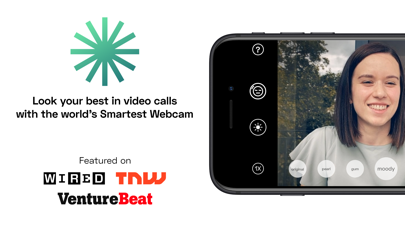
Look your best on video calls and live streams! NeuralCam Live turns your iPhone into an AI powered webcam that professionally edits your live video stream, blurs embarrassing gestures and more.
"NeuralCam Live is by far one of the best and easiest ways to use your iPad or iPhone as a webcam. The video quality is great, plus you get a few filters to spruce things up." - WIRED
NeuralCam Live works with Zoom, Meet, Teams, OBS and most other video call and streaming software & browsers on your Mac.
NeuralCam Live first turns the iPhone into a webcam similar to other webcam apps, BUT then it uses proprietary AI technology to provide some completely new and unique Smart Webcam features. These create a whole new video call or streaming experience:
FACE IMAGE QUALITY METER
Detects the amount of face lighting, type of face position and background and displays an overall Face Image Quality score. It helps you set up an optimal video call environment and avoid making typical mistakes, such as sitting with your back towards a bright window or filming yourself from an unfavorable low angle.
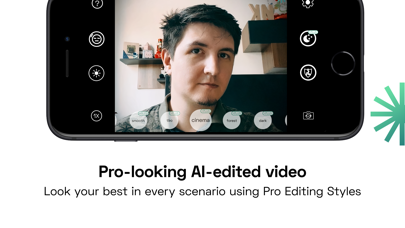
PRO-LOOKING VIDEO STYES
Our AI power Style Engine edits the video feed like a professional colorist would, in a range of different styles. The end-result is a more impactful look, allowing you to choose the style that best fits your mood, the type of call or the environment you're in.
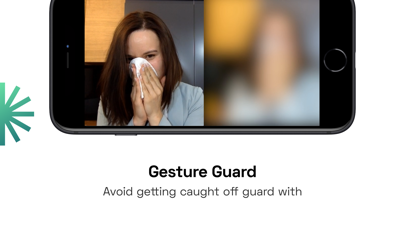
GESTURE GUARD
Detects and blurs different types of gestures that don't have their place in a video call.
It detects face touches (scratching face, picking nose, yawning, etc.) and nudity. Don’t get caught off-guard like in those viral Zoom videos.
LOW LIGHT MODE (PLUS SUBSCRIPTION)
Brightens up your video with a similar (though a lot more lightweight) technique used in our NightMode photo app. It allows you to look good in video calls even in low light settings, a gentle light from your monitor is usually enough to provide a nice video feed. And just in case you need to light up things even more, you can use the face-following
RING LIGHT
Creates a face-following ring light out of the screen of your iPhone which allows you to make video calls even in pitch dark rooms.
HEAD-BUBBLE MODE
It’s a more interesting way to hide your background. We think current background segmentation (“green screen”) used by most video call apps looks bad, really bad. Using face tracking, we put you in a