Scan To Go - Document Scanner

Scan To Go - Document Scanner Summary
Scan To Go - Document Scanner is a free, with in-app purchases iOS app in Business by Hyperlink Infosystem. Released in Jul 2020 (6 years ago). It has 2.1K ratings with a 4.65★ (excellent) average. Based on AppGoblin estimates, it reaches roughly 11K monthly active users and generates around $<10K monthly revenue (100% IAP / 0% ads). Store last updated Jun 8, 2026
Recent activity: 1.00 new ratings this week View trends →
SDK intelligence: AppGoblin detected 5 development tools(e.g. Airbnb Engineering), 3 ad networks, 1 analytics: product,and 1 business tools integrated into Scan To Go - Document Scanner. View full SDK list →
Scan To Go - Document Scanner SDKs Summary
Scan To Go - Document Scanner was last scanned for SDKs on 2026-08-24. Below is the overview of third-party companies detected in the app. The full list of SDKs, permissions and unknowns is available here.
 Airbnb Engineering
 Google
 nanopb
 Alamofire
 Firebase
 AdMob
AdMob Snap
Snap Adapty
4.65★
Ratings: 2.1K
Screenshots


App Description
Scan To Go is your all-in-one scanner app for documents, PDFs, photos, and more. Effortlessly scan, convert, and manage your files in HD. Make your everyday document handling fast, easy, and efficient.
Let’s dive into the amazing features of the scanner app.
App Features:
Document Scanning: Scan To Go offers unlimited document scanning without any restrictions, making it your go-to app to scan documents, receipts, and more.
AI PDF Summaries & Key Point Extraction: Scan To Go uses advanced AI to instantly summarize long documents and extract key points, helping you quickly understand reports, contracts, notes, and more without reading everything.
Photo Scanning & Conversion: Instantly scan images and convert photos to PDFs. It’s your go-to photo to PDF convert scanner for fast, high-quality PDF creation from photos in HD resolution.
PDF Management & Editing: Scan To Go offers impressive PDF editing tools including editing, merging, splitting, compressing PDFs. Also, it offers shadow and glare removal, adding watermarks, and securing PDFs. It’s a full-featured mobile scanner and scan to PDF converter app.
QR Code Generation: Create custom QR codes using URLs, text, email, phone numbers, calendar events, and more.
QR Code Scanning: Scan To Go is a free scanner app that lets you scan various QR codes.
Digital Signature: Add your e-signature to any document instantly, removing the need to print, sign, and re-upload.
Business Card Scanning: Scan and extract business card info to your device automatically with the Scan To Go scanner app.
Highly Secure: Store your scanned docs, PDFs, and images locally with advanced encryption and access controls to protect your data from unauthorized access.
Auto Image Cropping: Scan and save documents precisely with auto/manual cropping.
Classified Folders: Manage files with personalized folders, drag & drop files between folders, reorder, delete, duplicate or rename.
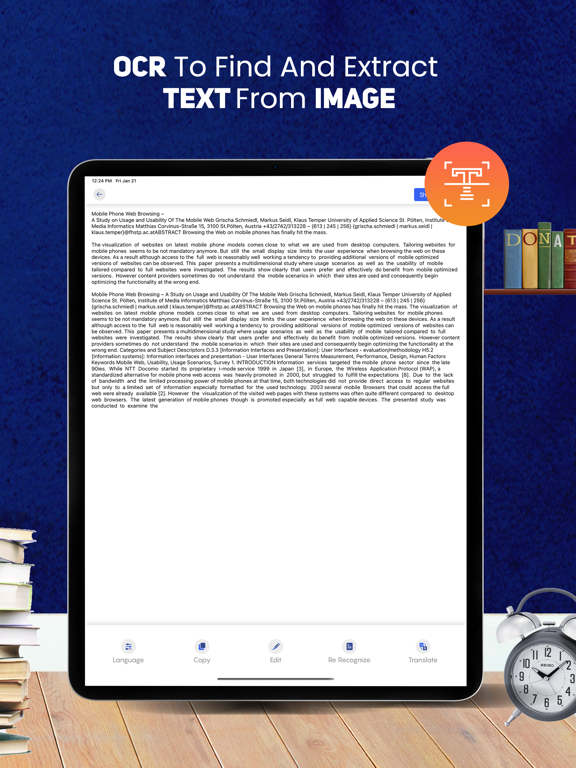
OCR: Recognize text from images and save as doc or PDF.
Multilingual Document Translation: Translate scanned documents instantly into German, French, Russian, and other languages.
ID Photo Mode: Quickly scan ID documents and create passport photos in country-specific or custom sizes.
Object Counter: Scan to get the count of objects eliminating manual counting.
Collage Maker: Scan multiple images and save as a collage.
Easy Acc