Meritain Health CDHP FSA

Meritain Health CDHP FSA Summary
Meritain Health CDHP FSA is a mobile iOS app in Health And Fitness by Meritain Health, Inc.. Released in Jul 2020 (5 years ago). It has 182 ratings with a 1.08★ (poor) average. Based on AppGoblin estimates, it reaches roughly 736 monthly active users . Store metadata: updated Apr 22, 2026.
Recent activity: 1.00 new ratings this week View trends →
Store info: Last updated on App Store on Apr 22, 2026 .
1.08★
Ratings: 182
Screenshots


App Description
Please note this app is not for medical, dental, or vision insurance or Health Savings Accounts (HSA). This app is only for Flex/CDHP products including Health care and Dependent care Flexible Spending Accounts, Health Reimbursement Arrangements, and Mass Transit accounts. If you need assistance when logging in, please call 800-566-9305 and a member of our Customer Service team will be able to assist you. Representatives are available Monday-Friday 8am-6:30pm EST.
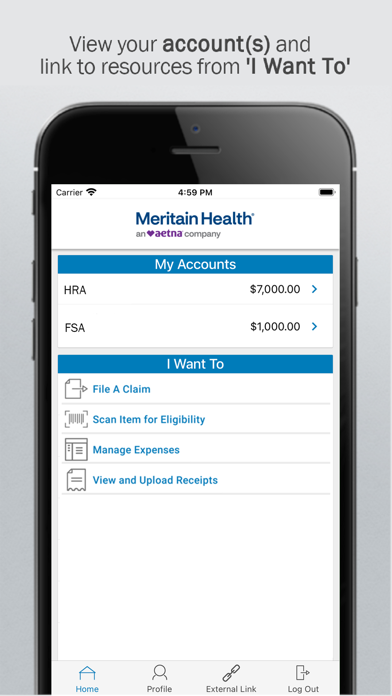
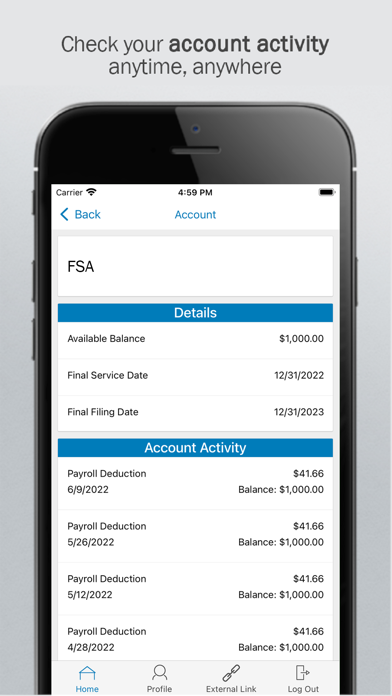
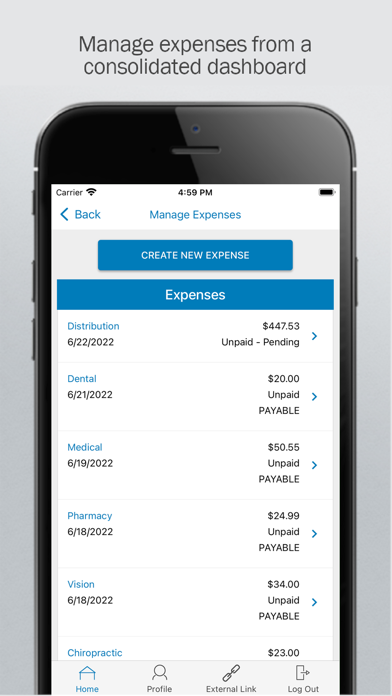
Save time by easily and securely accessing your Flex/CDHP benefit accounts. The mobile app features real-time access and intuitive navigation with summarized financial information and charts.
Powerful features of the app:
- Check available balances
- File a claim
- Take or upload a picture of documentation and submit for a new or existing claim
- Scan product barcodes to determine their eligibility
- Setup various text alert notifications
- Setup Touch ID login
- View claims requiring receipts
- Click to call or email customer service
- No sensitive information is ever stored on your mobile device
- Add a bank account (if applicable)
- Update your banking (if applicable)
To login to the mobile app, follow the steps noted below. Please note that your ID is your SSN. If you have difficulty when logging in, please call 800-566-9305 and a member of our Customer Service team will be able to assist you. You can also access your account via the Meritain Health portal at https://account.meritain.com.
1. Open the app, scroll to the bottom of the page and select New User? Set Up Your Account.
2. You will be redirected to the User Identification page to begin step one of four.
3. Follow steps one through four to complete the set-up.
4. Once you have completed the set-up, you will be logged out. You will then be required to log back in using your new username and password.