Screen Mirroring・Smart View TV

Screen Mirroring・Smart View TV Summary
Screen Mirroring・Smart View TV is a free, with in-app purchases iOS app in Tools by toggle apps. Released in Feb 2021 (5 years ago). It has 239K ratings with a 4.69★ (excellent) average. Based on AppGoblin estimates, it reaches roughly 641K monthly active users and generates around $10K+ monthly revenue (100% IAP / 0% ads). Store last updated Oct 14, 2026
Recent activity: 132 new ratings this week View trends →
SDK intelligence: AppGoblin detected 5 development tools(e.g. Google), 2 ad networks, 2 analytics: attribution,and 2 analytics: product integrated into Screen Mirroring・Smart View TV. View full SDK list →
Screen Mirroring・Smart View TV SDKs Summary
Screen Mirroring・Smart View TV was last scanned for SDKs on 2026-09-24. Below is the overview of third-party companies detected in the app. The full list of SDKs, permissions and unknowns is available here.
 Google
 Snap
Snap Airbnb Engineering
 nanopb
 Starscream
 AppsFlyer
 Adjust
 Firebase
 Amplitude
4.69★
Ratings: 239K
Screenshots


App Description
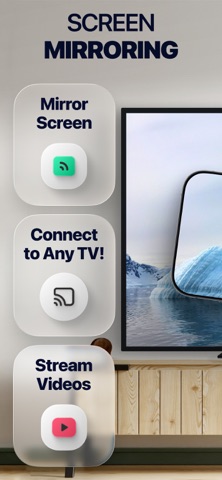
Mirror your phone's screen and cast media right to TV just in a single click.
App works with all major Smart TVs and streaming devices available today. No any additional hard- or software is needed.
This app will help you to:
• Mirror your phone screen to TV
• Cast photos and videos
• Stream favorite movies, TV shows and series
• Play games
• Share presentations and documents
• Have video calls on the big screen
How it works:
• Connect you phone and TV or streaming device to the same WiFi network
• Open the app and select TV from the list
• Choose the feature and follow simple instructions
NOTE! You need to turn off proxies or VPNs on your phone otherwise you won’t be able to connect to TV.
Features:
• All major platforms are supported
• No any additional hard- or software needed
• High quality screen mirroring without delays
• Photo and video cast from Photo Library
• Photo and video cast from the web
• Easy to use IPTV player
DISCLAIMER: This application is not affiliated with nor endorsed by any aforementioned brand, and it is not an official product of it or of its affiliates.
Available in-app purchases:
• 1 week subscription
• 1 month subscription
• 12 month subscription
• Lifetime access
Payment will be charged to your Apple ID account at the time of purchase confirmation. Subscription renews automatically unless it is canceled at least 24 hours before the end of the current period. Your account will be charged for renewal within 24 hours prior to the end of the current period. You can manage and cancel your subscriptions by going to your account settings on the App Store after purchase.
Privacy Policy: https://toggleapps.io/privacy.html
Terms of Use: https://toggleapps.io/terms.html