Safe Driving App: Drowsy Alert

Safe Driving App: Drowsy Alert Summary
Safe Driving App: Drowsy Alert is a free, with in-app purchases iOS app in Maps And Navigation by Trung Huynh. Released in Sep 2020 (5 years ago). It has 78 ratings with a 4.71★ (excellent) average. Based on AppGoblin estimates, it reaches roughly 290 monthly active users and generates around $<10K monthly revenue (100% IAP / 0% ads). Store last updated Aug 8, 2026
Recent activity: 1.00 new ratings this week View trends →
SDK intelligence: AppGoblin detected 3 ad networks(e.g. Facebook), 3 development tools, 1 analytics: product,and 1 business tools integrated into Safe Driving App: Drowsy Alert. View full SDK list →
Safe Driving App: Drowsy Alert SDKs Summary
Safe Driving App: Drowsy Alert was last scanned for SDKs on 2026-07-22. Below is the overview of third-party companies detected in the app. The full list of SDKs, permissions and unknowns is available here.
 Facebook
 One Signal
 Google
 Airbnb Engineering
 nanopb
 Firebase
 RevenueCat
4.71★
Ratings: 78
Screenshots



App Description
Stay awake. Drive safer.
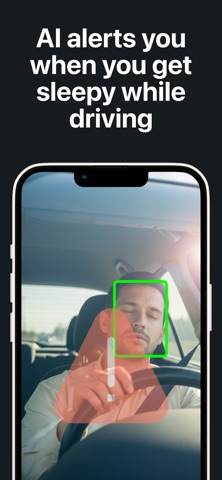
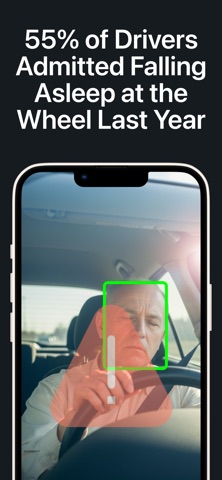
Drowsy Driving Alert uses AI-powered face and eye detection to monitor for signs of fatigue in real time. When prolonged eye closure is detected, the app sounds a loud alarm to help you refocus and recognize when it may be time to take a break.
Whether you are commuting, driving at night, or taking a long road trip, Drowsy Driving Alert provides an extra layer of awareness while you are behind the wheel.
How It Works
Your phone’s front-facing camera monitors your face and eye movements while you drive.
The app’s AI is designed to distinguish normal blinking from prolonged eye closure, helping reduce unnecessary alarms while responding quickly to potential signs of drowsiness.
Key Features
• AI-powered face and eye detection
• Blink-aware technology designed to reduce false alarms
• Multiple alarm sounds
• Adjustable detection sensitivity and alarm volume
• Background and Picture-in-Picture support
• Works alongside navigation apps such as Apple Maps, Google Maps, and Waze
• Save and review images captured during drowsiness events
• Optimized to reduce battery and processor usage
• Private by design—your detection data stays on your device and is never uploaded or shared
Quick Setup
Securely mount your phone at eye level with a clear view of your face.
Place your phone in landscape orientation for the best detection performance.
Start driving and let the app monitor for signs of drowsiness.
Safety Information
• Never interact with your phone while driving.
• If you feel sleepy or fatigued, pull over in a safe location and rest.
• Make sure your face remains clearly visible to the front-facing camera.
• Drowsy Driving Alert is an assistive tool. It is not a substitute for adequate rest, attentive driving, professional medical advice, or responsible decision-making.
Terms of Use (EULA): https://www.apple.com/legal/internet-services/itunes/dev/stdeula/