iMarkdown - Write & Preview

iMarkdown - Write & Preview Summary
iMarkdown - Write & Preview is a free, with in-app purchases iOS app in Productivity by HIROMOTO TSUJI. Released in Oct 2020 (6 years ago). It has 1.00 ratings with a 5.00★ (excellent) average. Based on AppGoblin estimates, it reaches roughly 4.00 monthly active users and generates around $<10K monthly revenue (100% IAP / 0% ads). Store last updated Oct 21, 2026
iMarkdown - Write & Preview SDKs Summary
App not yet scanned for SDKs.
5★
Ratings: 1.00
Screenshots




App Description
Write notes, articles and technical documents in Markdown on iPhone and iPad. Keep your work organized and turn it into presentations.
WRITE AND PREVIEW
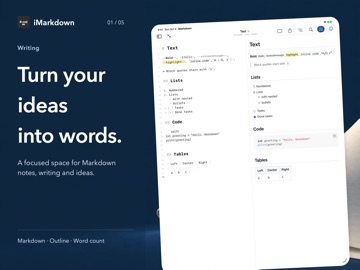
Write with formatting shortcuts, an outline, find and replace, and word counts. Preview tables, task lists, code, footnotes, math and Mermaid diagrams. Switch between writing and preview, or use them side by side when space allows.
KEEP IDEAS CONNECTED
Keep documents on your device or in iCloud Drive. Organize with folders and tags, search document contents, and connect notes with [[wiki links]]. Backlinks show which local documents link to the current one.
READ, PRESENT AND RECOVER
Turn Markdown sections into slides with presentation mode. Browse saved document versions and restore earlier text. Recover files from Recently Deleted.
MORE WITH iMarkdown Pro
Optional in-app purchases unlock PDF, HTML, PNG and TextBundle export, Wi-Fi file transfer with an access code, WebDAV file access, and custom CSS preview styles. With WebDAV, browse, download and upload files, or edit a document and save it back to your server.
Pro is available as a monthly or yearly auto-renewing subscription, or a one-time lifetime purchase. Prices appear in the app. Manage or cancel subscriptions in your App Store account settings.
No iMarkdown account is required to write and manage local documents. iCloud and third-party services require their own setup.
Privacy Policy: https://imarkdown.mystrikingly.com/#privacy-policy
Terms of Use: https://imarkdown.mystrikingly.com/#terms-of-use