MemoWidget (todo&photo widget)

MemoWidget (todo&photo widget) Summary
MemoWidget (todo&photo widget) is a free, ad-supported, with in-app purchases iOS app in Productivity by TheDayBefore, Inc.. Released in Sep 2020 (6 years ago). It has 15K ratings with a 4.75★ (excellent) average. Based on AppGoblin estimates, it reaches roughly 50K monthly active users and generates around $<10K monthly revenue (26% IAP / 74% ads). Store last updated Oct 7, 2026
Recent activity: 1.00 new ratings this week View trends →
SDK intelligence: AppGoblin detected 6 ad networks(e.g. Google), 6 development tools,and 1 analytics: product integrated into MemoWidget (todo&photo widget). View full SDK list →
MemoWidget (todo&photo widget) SDKs Summary
MemoWidget (todo&photo widget) was last scanned for SDKs on 2026-07-14. Below is the overview of third-party companies detected in the app. The full list of SDKs, permissions and unknowns is available here.
 Google
 Facebook
 AppLovin
 AdMob
AdMob Airbnb Engineering
 nanopb
 Alamofire
 Firebase
4.75★
Ratings: 15K
Screenshots
App Description
If this is the first widget... Start with memowidget!
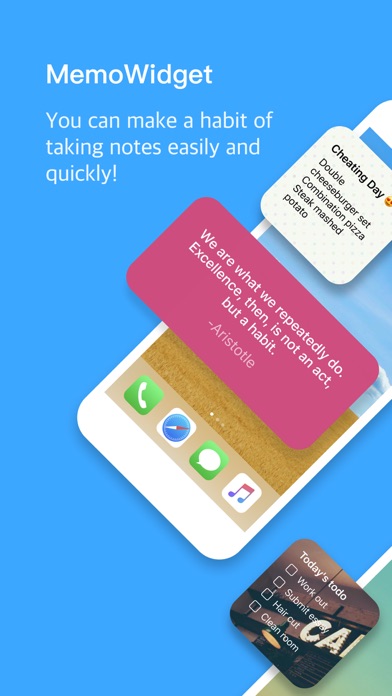
You can make a habit of taking notes easily and quickly.
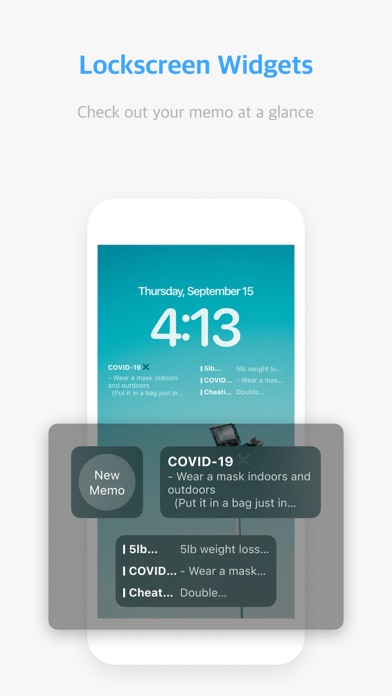
■ New! Lock Screen Widget Added
You can check out your memos easily with 3 types of lock screen widgets.
* Memo app with strongest widget settings *
What's new in the future?!
Archive Data (Login)
# To-do management added!
Write down anything from simple memo to todo.
#Check the contents of the memo directly in the widget.
Decorate your home screen prettily by selecting the memo you want.
#Check the list of memos in the widget quickly.
You can see the entire memo list directly on the home screen. Add Memo function!
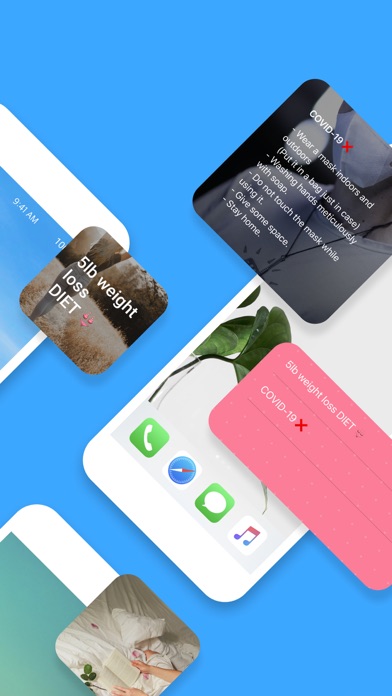
#You can use the photo you want as the background for the widget.
You can use it to decorate your home screen without content.
#Designate various colors and patterns by memo widget!
Set different colors by memo!
#Use the various size widgets to freely place them on your home screen!
If you select a size based on the content of the memo, you can see the memo well on the home screen.
#Choose Edit Widget to decorate your alignment, font size, font color, and more!
Font size and color can be adjusted directly.
#MemoWidget Premium
Upgrade to premium subscription and try all premium services.
(Synchronization, removing ads, passcode function, Various background photos & pattern images, and Upload a photo to a memo.)"
#Synchronize Memos(Premium)
Start synchronizing and keep memos safe.
#Passcode function(Premium)
Set the password so that no one else can see it.
#Upload a photo to a memo(Premium)
You can upload pictures.
Up to 10 pictures in one memo.
- Terms of Use : https://bit.ly/3BPsfZv
- Privacy Policy : https://bit.ly/3zPIMLc