Convert Image to PDF ScannerMe
Convert Image to PDF ScannerMe Summary
Convert Image to PDF ScannerMe is a ad-supported, with in-app purchases iOS app in Business by Rakib Joarder. Released in Oct 2020 (5 years ago). It has 198 ratings with a 4.73★ (excellent) average. Based on AppGoblin estimates, it reaches roughly 1.3K monthly active users and generates around $<10K monthly revenue (22% IAP / 78% ads). Store metadata: updated Aug 13, 2025.
Store info: Last updated on App Store on Aug 13, 2025 .
4.73★
Ratings: 198
Screenshots


App Description
Are you tired of taking blurred page images? Will you like to make document sharing and conversion simpler and easier? The new Scanner ME: Document Scan PDF digitalized page scanning, saving, editing, and sharing for all users.
Whether you are a student, a teacher, a job applicant, a traveler or anyone with lots to do with document sharing, this app is an ideal option. Skip the hassle of using your phone camera for taking document images as you can do it easily and more clearly with Scanner ME: Document Scan PDF.
Capture and Save Any Page
Simply place your phone’s camera over the page you want to capture and press the capture button. The Scanner Me app automatically detects the page margins, paragraphs and unique page sections so you do not have to worry about page alignment while capturing documents. Save a single page or many pages easily within the app.
Create, Sort, and Search Folders
Make document search, saving, sharing, and sorting easier. The app allows you to create, organize and sort multiple file folders so you can save respective document pages within the app rather than sharing them in your gallery. Export saved images in your gallery if you like or opt to keep things private by saving your documents within the Scanner Me app folders. Use the search bar to find any document or folder easily.
Crop, Annotate, Rotate, Add Signatures and Filters
Adjust any document or page size and shape with the crop and editing tools. You can also choose a color and width for adding annotations, signatures, and other elements on the page. Rotate the pages easily and try useful document filters like grayscale, B&W, and auto enhancement.
Digitalize ID and Passport Easily
Now you can digitalize your ID and passport easily as the Scanner ME offers a unique card scanner feature. Save your important IDs in a single place and never leave anything important behind!
Save, Convert and Share Docs Easily
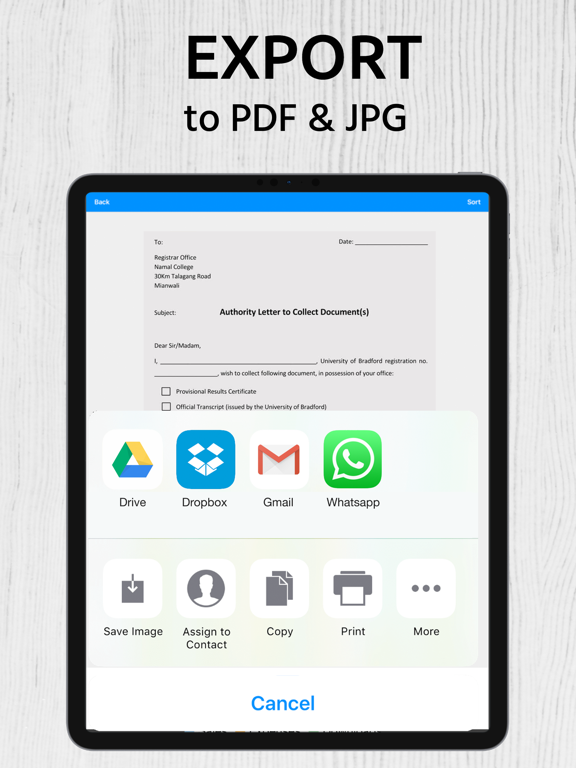
The app also allows you to share documents on any app, email, or folder. You can also choose to convert JPG to PDF or Docs and vice versa. Share documents, book pages, digital passports, tickets, receipts, IDs, syllabus pages, CVs, cover letters, resumes, and more in any format you like.
Edit Document Pages From App
Want to edit a page you just scanned? The Scanner Me makes it possible for you. You can easily edit text, add new text, delete text and highlight a