People Counter By AI

People Counter By AI Summary
People Counter By AI is a ad-supported, with in-app purchases iOS app in Tools by Naoki Oguchi. Released in Nov 2020 (5 years ago). It has 1.00 ratings with a 5.00★ (excellent) average. Based on AppGoblin estimates, it reaches roughly 3.00 monthly active users and generates around $<10K monthly revenue (27% IAP / 73% ads). Store metadata: updated Jul 11, 2021.
Store info: Last updated on App Store on Jul 11, 2021 .
5★
Ratings: 1.00
Screenshots


App Description
It uses AI (Machine Learning) to detect and count objects that pass in front of the camera.
You can send messages via Twitter and IFTTT.
This application is set up at the entrance of the store to count the number of customers coming in and out of the store.
Please play the video ad in order to use the app.
You can get 60 minutes of app usage time per play, and you can save up to 240 minutes of usage time..
Purchase a subscription for "Subscription $15.49(USD)" and you can use the app ad-free.
・Camera
AI (Machine Learning) detects and counts the objects that pass in front of the camera.
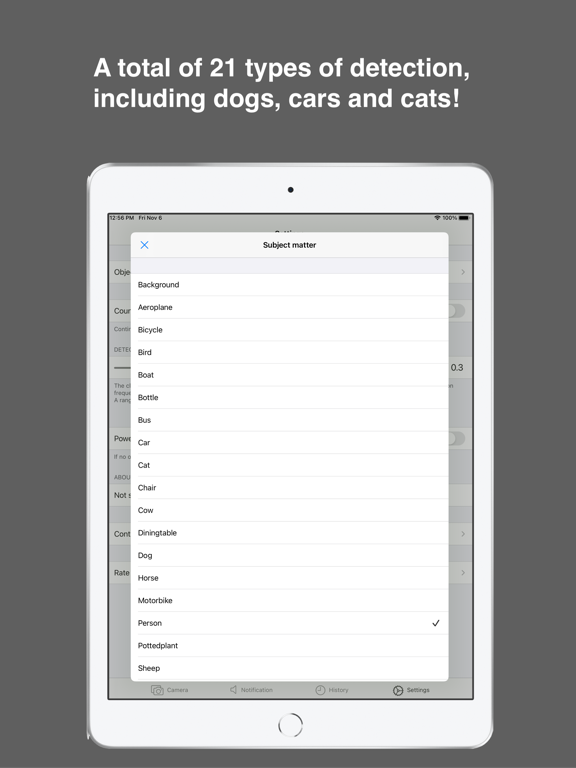
The objects to be detected are as follows. (You can set from Settings->Objects to be counted)
- Background
- airplane
- bicycle
- fowl
- boat
- bottle
- bus
- car
- cat
- chair
- oxen
- dining table
- inferior
- horse
- motorcycle
- mankind
- potted plant
- sheep (Ovis canadensis)
- couch
- train
- TV monitor
・Notification
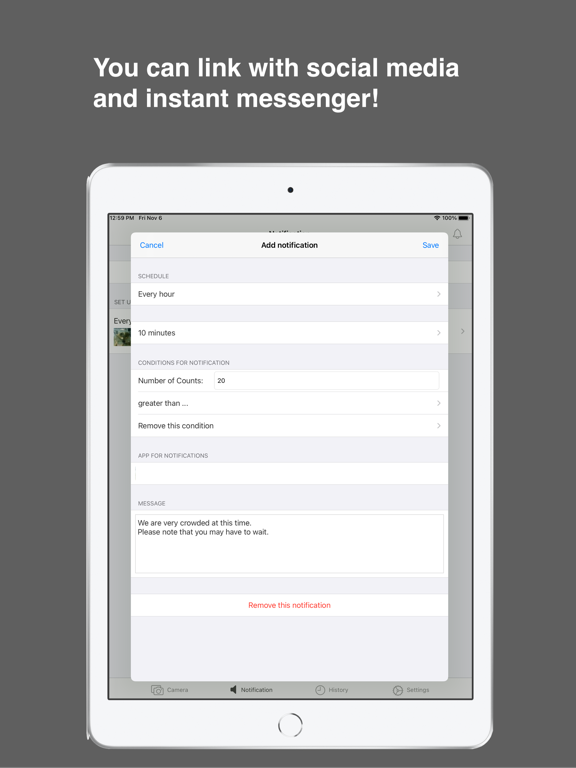
You can send tweets automatically and periodically by setting up the sending conditions and message contents in advance.
For example, once an hour, if the count is more than 10, you can tweet "We are busy in the store at the moment. If the count is higher than 10, a message such as "We are currently busy in the store" will be tweeted.
It is integrated with IFTTT webhooks, so you can also connect with LINE and Facebook.
https://ifttt.com/
Usage
Send Twitter messages and webhooks to Value
\(countNo)
You can send the count at that point by setting up the following
・History
The camera records objects that have passed in front of the camera.
The history is shown in graph and list.
・Settings
- Object to be counted
- How to count (continue counting Out even if the sum of In and Out is negative)
- Sensitivity of detection (the closer this value is to 0, the more frequent the detection is, but the more false positives it is; the closer it is to 1.0, the less frequent the detection is, but the less false positives it is; a value between 0.2 and 0.5 is recommended)
- Power saving mode (If no operation is performed for a certain period of time, the screen is darkened.)
・Purchase
・Purchase a subscription for "Subscription $15.49(USD)" and you can use the app ad-free.
・"Subscription $15.49(USD)" is a monthly subscription service.
・Payment will be charged to iTunes Account at confirmation of purchase.
・Subscr