ZAsset Booker

ZAsset Booker Summary
ZAsset Booker is a free iOS app in Business by Zucchetti spa. Released in Dec 2020 (5 years ago). Store last updated Feb 16, 2026
ZAsset Booker SDKs Summary
App not yet scanned for SDKs.
0★
Ratings: 0
Screenshots


App Description
The ZAsset Booker app, a mobile extension of ZAsset Booker, is the Zucchetti solution that allows the booking and check-in/out of spaces, assets and services related to the working User Journey:
• Parking (reservation of parking space/ motorcycle, charging points, bicycle, scooter, etc.);
• Working in smart office and coworking (booking desks, halls, classrooms, smart lockers, media and equipment, business devices, etc.);
• Leisure time through the use of company wellness services (booking a gym or a training course, the company welfare plan, etc.);
• Event organization (halls, classrooms and auditoriums) with reservation of related services (catering, supports and equipment, etc.);
• Refreshment area and food and beverage services (access or place in the company restaurant, meal collection from smart locker, catering service, etc.).
How does it work?
The first step of the booking process is the search for the asset, which is executed in one of three modes:
• Search by Asset Type: set period and location. The system automatically associates the asset for the selected days, following usage-based criteria;
• Search by Asset: directly select the specific asset and define the period;
• Choose from Favourites: book from assets saved as favourites.
After completing the research phase, you can proceed easily with single or bulk booking. By using the bulk booking feature, you can:
• select multiple days on which to perform bulk actions;
• confirm, in bulk, the available assets with the "Book available" function;
• book for third parties for several days in a single action (for single-user assets, e.g. desks, parking bays);
• add participants to multiple bookings (for multi-user assets, e.g. meeting rooms, classrooms) without leaving the flow.
The selection interface is divided between Available and Occupied. In the absence of availability, you can search for alternative solutions proposed by the system or join the queue of the asset or area.
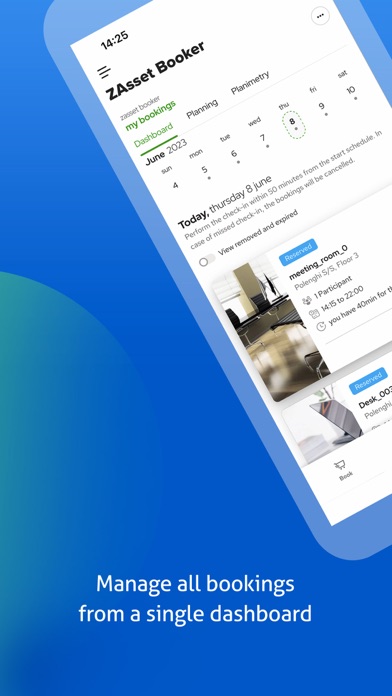
All bookings, both current and future, are summarized in the app’s dashboard; for each booked resource, it is possible to read descriptive information and display the related location on the company's floor plan.
When you go to work, check-in the booked resource to confirm its occupancy and when you are finished, release the resource by checking out.
You can check-in according to the method