SLD | Electrical diagrams
SLD | Electrical diagrams Summary
SLD | Electrical diagrams is a with in-app purchases iOS app in Productivity by Angel Martinez. Released in Jan 2021 (5 years ago). It has 259 ratings with a 4.30★ (good) average. Based on AppGoblin estimates, it reaches roughly 652 monthly active users and generates around $<10K monthly revenue (100% IAP / 0% ads). Store metadata: updated Nov 10, 2025.
Store info: Last updated on App Store on Nov 10, 2025 .
4.3★
Ratings: 259
Screenshots


App Description
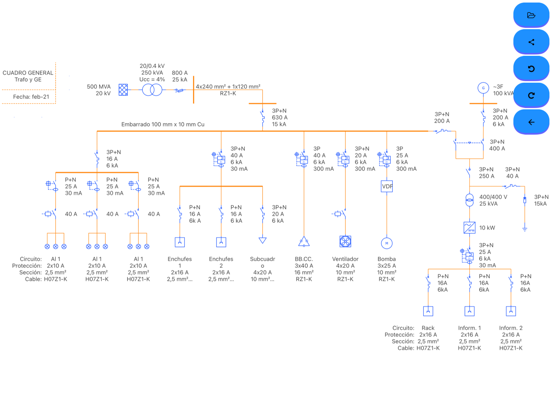
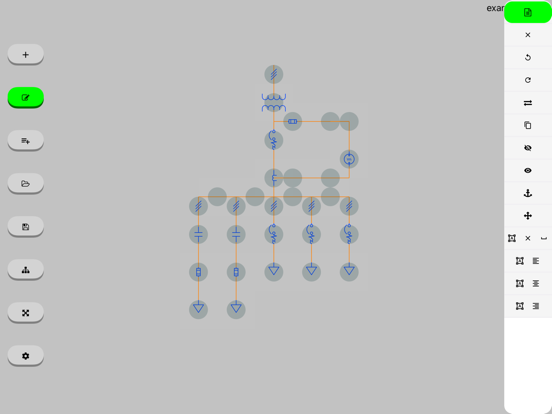
This tool will allow you to create your own one-line diagrams quickly and easily. Simply select the symbol you want to use and drag it to the desired position.
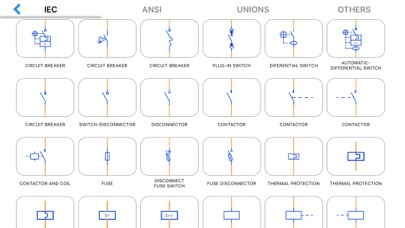
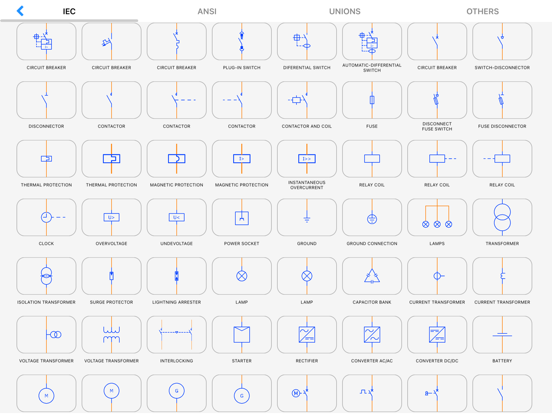
The most commonly used symbols are integrated (IEC, ANSI standards):
Symbols according to IEC and ANSI standards for electrical engineering:
Circuit breaker, plug-in, switch, disconnector, fuse, differential (RCD), contactor, motor, generator, socket, plug base, contact, normally open NO, closed NC, valve, level, temperature, delay and advance opening and closing, limit switch, handle, interlock, push button, mushroom, lamp, grounding, energy meter, active (kWh) wattmeter, reactive (kvar) varimeter, transformer, voltage, current, three windings, overvoltage, thermal relay, magnetic, coil, clock, minimum and maximum voltage, starter, rectifier, inverter, battery, converter, AC/DC, DC/DC, frequency meter, voltmeter, ammeter, ohmmeter, soft starter, variable resistance, reactance, diode, varistor, heater, fault, star-delta transformer, insulation, regulator, connectors, conductors, phase, neutral, ground, protection, fan, photovoltaic panel, control, load and enter text such as volt, ampere, watt, energy
# BASIC Version #
* You can create your single-line diagram with the same symbols as the Version PRO
* You can only work with a scheme although you can share it as an image, pdf or file
* Once you create a scheme you will no longer be able to open another (they are not saved)
* Contains ads
# PRO Version # (1 - In-App Purchases)
* You will be able to open, edit and save a scheme
* Open in the following examples (link)
* No ads
* Missing a symbol? Contact us through the app
* More examples: https://drive.google.com/drive/folders/15vTwFvjtu311lSEbYJLaqUfp_pyEwEDt?usp=sharing