Pumble

Pumble Summary
Pumble is a free iOS app in Business by CAKE.com. Released in Oct 2020 (6 years ago). It has 3.5K ratings with a 4.72★ (excellent) average. Based on AppGoblin estimates, it reaches roughly 21K monthly active users . Store last updated Oct 12, 2026
Recent activity: 14 new ratings this week View trends →
Pumble SDKs Summary
App not yet scanned for SDKs.
4.72★
Ratings: 3.5K
Screenshots



App Description
Communicate with your team through organized chat, channels, and video meetings. Pumble is a team messaging app built for businesses that need clear communication and an unlimited message history. Create channels for projects and teams, start meetings directly from conversations, and keep all work discussions in one place.
TEAM MESSAGING THAT STAYS ORGANIZED
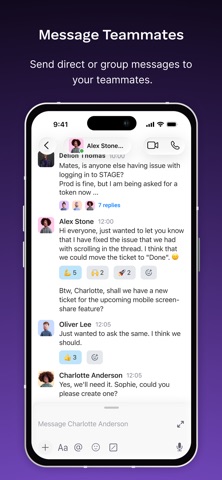
Send direct messages to teammates and keep everyday communication simple. Share updates, ask questions, and keep work conversations in the same place where work happens.
CHANNELS FOR PROJECTS AND TEAMS
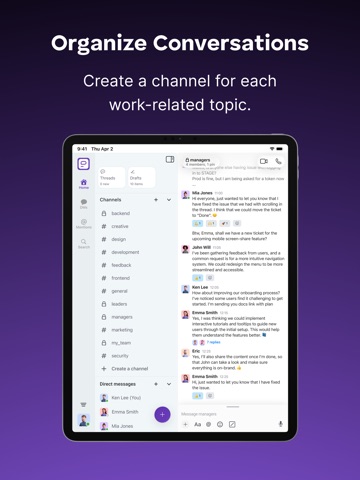
Create channels for projects, departments, or topics. Channels help teams organize discussions so that everyone can follow conversations without confusion.
BUILT-IN VIDEO MEETINGS
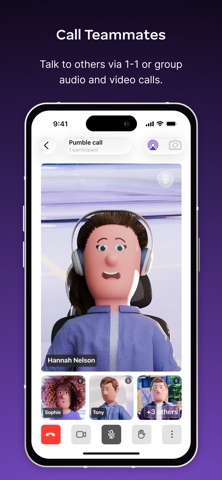
Start video meetings directly from a conversation. Share your screen when presenting ideas, reviewing work, or helping teammates solve problems.
FILE SHARING
Share documents, images, and links with your team. Files stay connected to conversations, so information is easy to find later.
SEARCHABLE MESSAGE HISTORY
Search across messages, files, and shared links when you need them. Message history helps teams keep track of decisions and information over time.
WORK FROM ANYWHERE
Use Pumble on mobile, desktop, or web. Stay connected with your team whether you’re at the office, working remotely, or on the move.
FREE PLAN AVAILABLE
Start with a FREE plan that includes unlimited users, unlimited message history, team channels, and video meetings.
ADVANCED FEATURES FOR TEAMS
Organizations that need additional control can benefit from advanced capabilities, such as unlimited integrations, meeting recordings, single sign-on (SSO), user management, and permissions control.
Download the app and create an account for free, or log in using your existing details.