Loop - Interval & Multi Timer

Loop - Interval & Multi Timer Summary
Loop - Interval & Multi Timer is a free, with in-app purchases iOS app in Tools by Leon Boettger. Released in Nov 2020 (5 years ago). It has 124 ratings with a 4.38★ (good) average. Based on AppGoblin estimates, it reaches roughly 345 monthly active users and generates around $<10K monthly revenue (100% IAP / 0% ads). Store last updated Jun 16, 2026
Recent activity: 1.00 new ratings this week View trends →
Loop - Interval & Multi Timer SDKs Summary
App not yet scanned for SDKs.
4.38★
Ratings: 124
Screenshots




App Description
Loop makes setting timers easier, faster and more beautiful. Start multiple (interval, Tabata, and cooking) timers, create presets, import your own sounds and so much more!
- Easy Start:
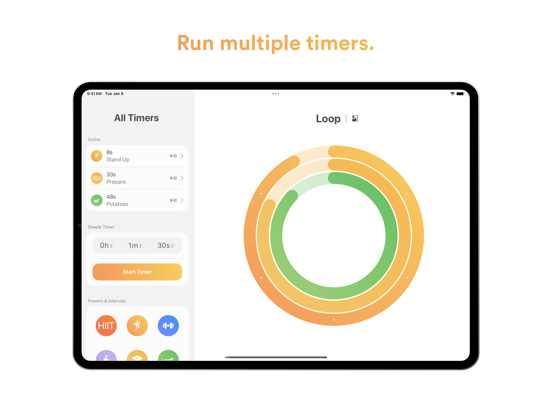
The start screen shows the most recently started timers and your favorites. One tap is enough to start a timer. You can also create a new quick timer with natural text input: Simply type something like "1h Work, 30m Break" to create a timer with two intervals. Any number of timers can be started in parallel. The first timers will be displayed as nested rings.
- Automatic Reset:
After a timer expires, the app plays a sound and the timer automatically resets, so you can start it again immediately. Alternatively, you can configure a timer to play the sound like an alarm until you disable it. Loop supports AlarmKit so the alarm is also shown on your Apple Watch (requires at least iOS or iPadOS 26).
- Presets:
You can save your favorite timers as presets, which can be started with a tap. You can use text or an icon for your presets, and also change the color as you like. You can create multiple categories for your presets, with each category able to customize the app’s default settings.
- Interval Timers:
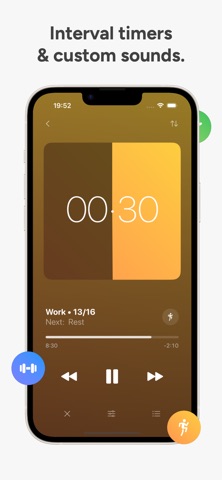
You can create interval timers and save them as Presets. The app plays a sound for each elapsed interval and displays it as a small dash on the ring. Additionally, you can name each of them, select repetitions for the intervals, or make the timer repeat automatically.
- Choose Sounds:
In addition to many included sounds, you can also import your own sound files from the Files app. Start, Finish, Reset, Interval, and Background sound can be selected separately.
- Meditation Sounds:
You can activate a background sound such as ocean waves or white noise in the settings, which will then be played when a timer is running. It is also possible to switch off the screen in order to concentrate fully on your meditation.
- iCloud Sync:
Your timers, settings, and sounds sync with your iPhone, iPad, Apple Watch, and Mac.
- Push Notifications & Live Activities:
Loop will send you a push notification when the app is closed if a timer or interval has expired. The sounds selected in the app will also be used for the notification. In addition, a live activity is displayed when timers are running.
- And More:
Custom app icons, Apple Watch integration, HealthKit support, configure when t