MicSwap MultiTrack: Mix Studio

MicSwap MultiTrack: Mix Studio Summary
MicSwap MultiTrack: Mix Studio is a free, with in-app purchases iOS app in Music And Audio by Future Moments. Released in Nov 2020 (5 years ago). It has 2.4K ratings with a 4.55★ (excellent) average. Based on AppGoblin estimates, it reaches roughly 4.1K monthly active users and generates around $<10K monthly revenue (100% IAP / 0% ads). Store last updated Sep 24, 2026
Recent activity: -1 new ratings this week View trends →
SDK intelligence: AppGoblin detected 2 development tools(e.g. Google), 1 analytics: product,and 1 business tools integrated into MicSwap MultiTrack: Mix Studio. View full SDK list →
MicSwap MultiTrack: Mix Studio SDKs Summary
MicSwap MultiTrack: Mix Studio was last scanned for SDKs on 2026-09-26. Below is the overview of third-party companies detected in the app. The full list of SDKs, permissions and unknowns is available here.
 Google
 Alamofire
 Firebase
 Adapty
4.55★
Ratings: 2.4K
Screenshots
App Description
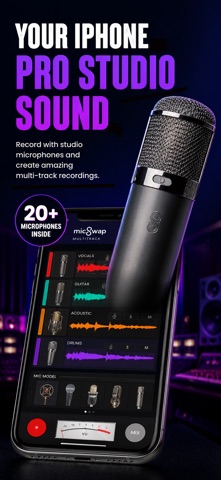
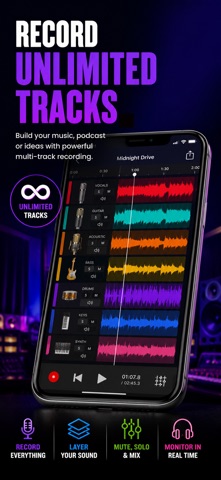
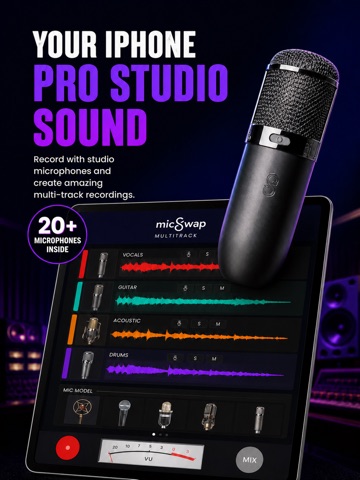
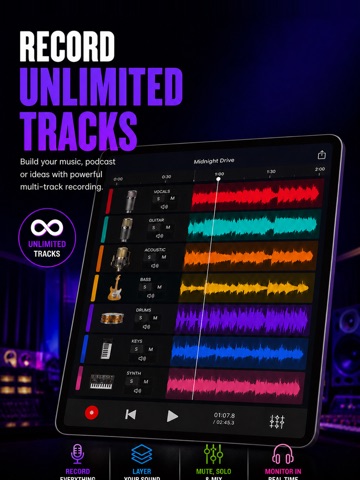
A powerful and simple multitrack recording studio for music, podcasting, voiceover, filmmaking, karaoke and more. Record or import audio on separate tracks, swap microphones for different sounds on each track. Mix down and share your recordings anywhere.
Because you can assign different mic sounds, pan and reverb on each track, this helps you get better separation between each instrument or voice making a great sounding mix. Mix down your project and send it directly to AudioMaster for instant mastering.
HOW IT WORKS:
• Record a track with the built-in mic or an external mic or audio interface.
• Import or buy backing tracks or beats and record on top of them.
• Adjust the input gain for each new recording to get a clean sound.
• Give each track its own microphone sound, reverb, volume and pan.
• Mix down all tracks into a stereo or mono audio file.
• Save or Share the recording directly from your device.
• Record in Wav or M4a format.
FEATURES
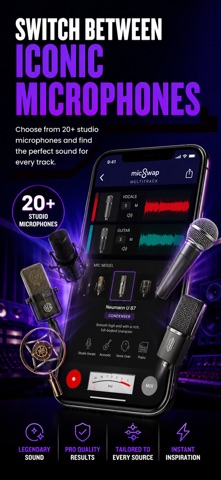
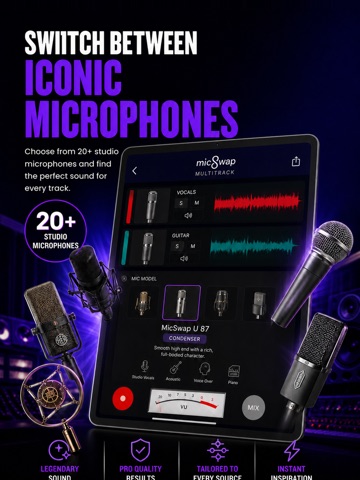
• Record with different microphone emulations for different sounds
• Change the sound of pre-existing audio
• Adjust the gain (input) of any microphone
• Add reverb, change mics, pan or volume of each track
• Enable / disable live monitoring
• AudioCopy enabled
• Descriptions of each mic & studio (tap on each mic)
• Share your recordings anywhere
20 MICROPHONES MODELED
• Shure SM7b (Podcasting)
• Rode NTG3 (Boom Mic)
• Shure SM58
• RCA 77
• Sony Lavalier
• Cos Lavalier
• SmartLav
• Audio-Technica AT8024
• Megaphone
• Amperite SR80
• Neumann U47
• Neumann U87
• Neumann KM140
• Neumann CMV563
• AKG 414
• AKG C12VR
• Royer Ribbon R121
• Old Timey Radio Mic
• Ribbon Fathead 1
• Ribbon Fathead 2
ALSO BY FUTURE MOMENTS:
Jam Recorder
You Jam. We Split into Stems
Podcast Cleaner
Remove Noise from Audio
Video Audio Splitter MSV Remix
Remix the Audio of Your Video
MicSwap Remix
AI Audio Stem Separator
Audio Cleaner
AI Audio Cleanup Magic
MAIVE
AI Video Generator
VideoVerb
Add Reverb to Your Videos
Hear Boost
Get Super Hearing & Recording
MicSwap
Mic Modeler & Recorder
MicSwap MultiTrack
Multitrack Mic Modeler & Recorder
MicSwap Video
Edit Video Audio with Mic Models & FX
MicSwap Camera
The Best Sounding Video Camera
AudioFix
Denoise & Clean the Sound of Your Video
VideoMaster
Instant Audio Post-Production for Videos
AudioVerb
Add Rev