vFlat Scan - PDF & OCR Scanner

vFlat Scan - PDF & OCR Scanner Summary
vFlat Scan - PDF & OCR Scanner is a free, ad-supported, with in-app purchases iOS app in Productivity by VoyagerX, Inc.. Released in Nov 2020 (5 years ago). It has 159K ratings with a 4.83★ (excellent) average. Based on AppGoblin estimates, it reaches roughly 544K monthly active users and generates around $50K+ monthly revenue (33% IAP / 67% ads). Store last updated Oct 13, 2026
Recent activity: 25 new ratings this week View trends →
SDK intelligence: AppGoblin detected 3 development tools(e.g. Google), 2 analytics: product, 1 ad networks,and 1 analytics: attribution integrated into vFlat Scan - PDF & OCR Scanner. View full SDK list →
vFlat Scan - PDF & OCR Scanner SDKs Summary
vFlat Scan - PDF & OCR Scanner was last scanned for SDKs on 2026-10-16. Below is the overview of third-party companies detected in the app. The full list of SDKs, permissions and unknowns is available here.
 Google
 Airbnb Engineering
 nanopb
 Facebook
 Firebase
 Amplitude
 Adjust
4.83★
Ratings: 159K
Screenshots


App Description
Scan thick books perfectly flat—without cutting a single page.
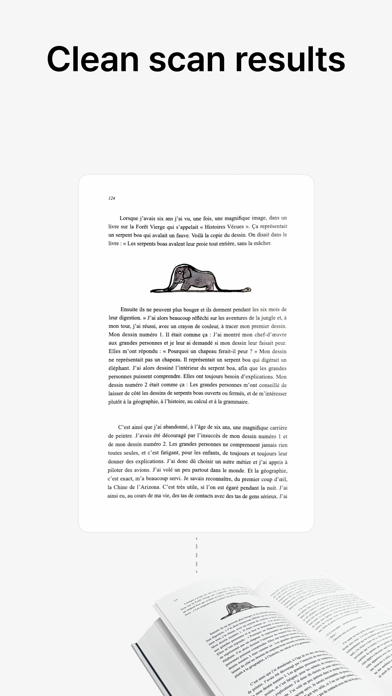
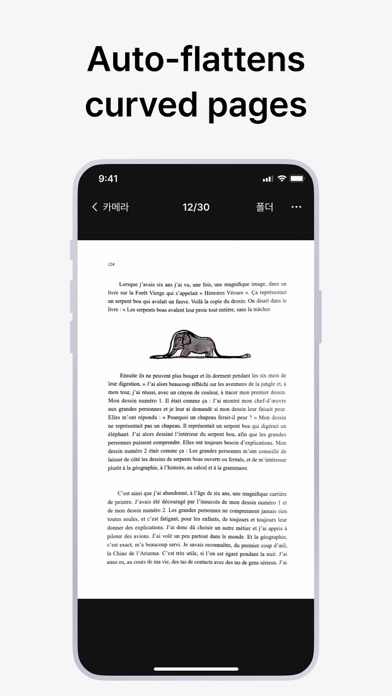
Most scanner apps can't handle open or curved books. vFlat can. AI curve correction transforms any thick textbook, sheet music, or open book into a crystal-clear, professional-grade scan—spine fully intact.
· BOOK SCANNER
AI automatically flattens curved pages from thick textbooks, manuals, and sheet music. No cutting required.
· DOCUMENT SCANNER
Scan receipts, ID cards, contracts, invoices, and forms with auto edge-detection and perspective correction.
· OCR – IMAGE TO TEXT
Convert scanned images into editable, searchable text instantly. Copy and paste from any document.
· PDF CREATOR
Combine multiple scans into a single PDF. Export as PDF, JPG, or TXT.
· AUTO-CAPTURE
Hold still or turn the page—vFlat auto-detects and captures. Scan 100+ pages in minutes.
· FINGER REMOVAL
Hold the book open—vFlat removes your fingers from every scan automatically.
· 2-PAGE SPREAD
Capture both open pages at once. vFlat splits and saves each page separately.
· EASY SHARING
Export to iCloud, Google Drive, Dropbox, email, or any app.
Trusted by students, musicians, researchers, and professionals in 100+ countries.
Download free and transform your iPhone into a professional scanner today.
Terms of Use: https://vflat.page.link/terms_en