Learn Japanese Kanji: Benkyō

Learn Japanese Kanji: Benkyō Summary
Learn Japanese Kanji: Benkyō is a free, with in-app purchases iOS app in Education by Romain Pellen. Released in Dec 2020 (5 years ago). It has 9.5K ratings with a 4.72★ (excellent) average. Based on AppGoblin estimates, it reaches roughly 9.9K monthly active users and generates around $<10K monthly revenue (100% IAP / 0% ads). Store last updated Jul 7, 2026
Recent activity: 10 new ratings this week View trends →
SDK intelligence: AppGoblin detected 3 development tools(e.g. Google), 1 ad networks, 1 analytics: product,and 1 business tools integrated into Learn Japanese Kanji: Benkyō. View full SDK list →
Learn Japanese Kanji: Benkyō SDKs Summary
Learn Japanese Kanji: Benkyō was last scanned for SDKs on 2026-09-27. Below is the overview of third-party companies detected in the app. The full list of SDKs, permissions and unknowns is available here.
 Google
 Airbnb Engineering
 nanopb
 Firebase
 RevenueCat
4.72★
Ratings: 9.5K
Screenshots


App Description
When you learn Japanese, memorizing vocabulary or kanji takes too much time: Benkyō manages your drills with AI so it's more effective and painless.
Review whenever it’s convenient, leverage AI to organize your studies, and keep yourself motivated with progress tracking.
Fully works offline.
• Browse all Kanji, Vocabulary, & Kana
• Drill with smart, custom and SRS quizzes
• Train using multiple choice, keyboard or even handwriting recognition quiz inputs
• Check your statistics and progress
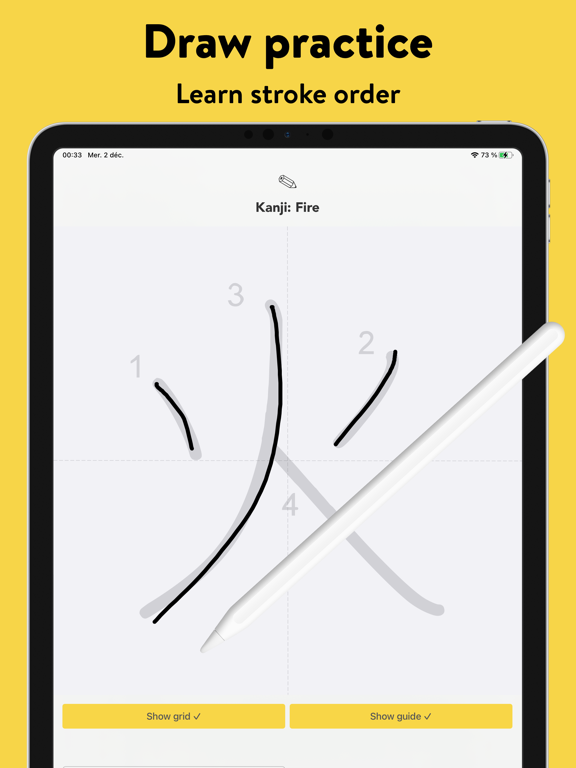
• Practice drawing, learn stroke order
FEATURED by Apple on the App Store:
• "This week's favorites" (Mar. & Apr. 2021 - France)
• "Widgets: improve your language level" (Apr. 2021 - France)
• "Find a new passion or profession" (May 2021 & Feb./Mar. 2022 - France)
• "Add widgets to your home screen" (Feb./Mar. 2022 - France)
== Features ==
1) JAPANESE DATABASE
- Search and filter more than 10,000 Kanji and 8,000 Vocabulary entries plus Hiragana & Katakana
- Browse by JLPT, category, frequency, grade, etc...
- Listen to prononciations, check writing stroke order & train drawing
- Organise your content with lists
- Search Kanji (and Kana) by simply writing them in the free drawing mode, magic!
2) LEARNING DRILL
Practice makes perfect, Benkyō provides 3 kind of quizzes
• FLEX SRS
An exclusive AI powered algorithm that brings the right quiz questions at the right time to optimize your memory performances and the retention of what you learn
• SMART QUIZ
A quick and easy way to focus on specific flashcards: those you struggle the most with, or that you should review a bit more
• CUSTOM QUIZ
Maximum flexibility for advanced users, choose entries to be quizzed on (by applying filters, and optionally refine selection manually), choose the kind of flashcards (reading, writing, speaking and understanding) for each entry family, and input mode
Plus:
- 3 different quiz inputs: multiple choice (4 propositions), keyboard (type the answer, better to recall the information from your memory), and drawing (draw the kanji or kana with your finger or pencil) with automatic recognition (feels like magic, and you can adjust it's sensitivity)
- If you get a question wrong or pass: you have the opportunity to pause the quiz and review the entry details so you memorize it for the next time. Here you go, learned something new!
- Optionally set quiz remind