Signature: Fill and Sign PDF

Signature: Fill and Sign PDF Summary
Signature: Fill and Sign PDF is a free, ad-supported, with in-app purchases iOS app in Business by SMM service, s.r.o.. Released in Jan 2021 (5 years ago). It has 164 ratings with a 4.79★ (excellent) average. Based on AppGoblin estimates, it reaches roughly 1.7K monthly active users and generates around $<10K monthly revenue (33% IAP / 67% ads). Store last updated Sep 5, 2026
SDK intelligence: AppGoblin detected 3 development tools(e.g. Google), 1 analytics: attribution,and 1 analytics: product integrated into Signature: Fill and Sign PDF. View full SDK list →
Signature: Fill and Sign PDF SDKs Summary
Signature: Fill and Sign PDF was last scanned for SDKs on 2026-09-29. Below is the overview of third-party companies detected in the app. The full list of SDKs, permissions and unknowns is available here.
 Google
 nanopb
 SDWebImage
 AppsFlyer
 Firebase
4.79★
Ratings: 164
Screenshots




App Description
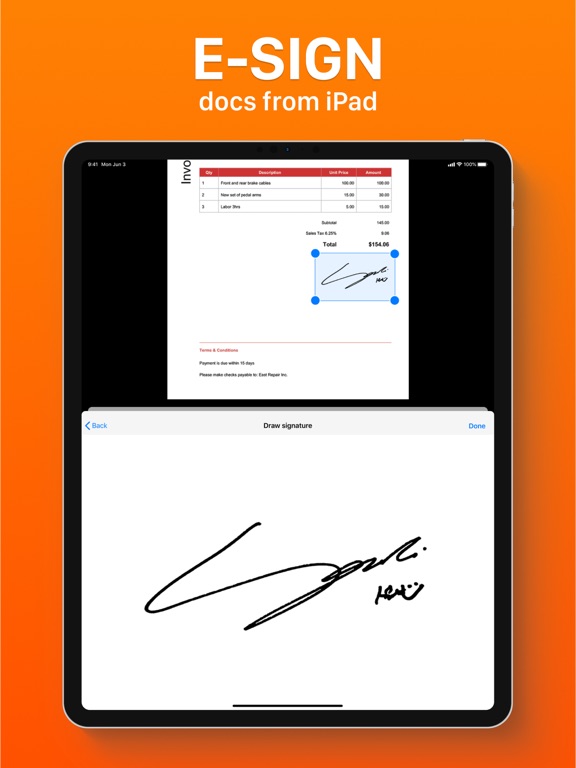
Signature App makes it easy to sign, send, and manage your documents in just a few taps. Whether you need to sign a contract, fill out a form, or request a signature — everything is in one place. Sign and manage documents anytime, anywhere.
Sign documents your way
- Draw your signature with your finger or Apple Pencil
- Type your name and generate a signature with different fonts
- Add signatures to any PDF in seconds
Request signatures from others
- Send documents via link
- Let others sign without installing the app
- Works on phone or computer in any browser
Fill and edit documents
- Fill out PDF forms quickly
- Add text anywhere in the document
- Import documents from Files or Photos
Scan documents to PDF
- Turn your camera into a document scanner
- Auto crop and perspective correction
- Adjust colors for better readability
Annotate and review
- Add comments and notes
- Highlight and mark text
- Draw directly on documents
Organize your files
- Store documents securely in iCloud
- Mark important files as favorites
- Access your documents anytime
Privacy first - All documents are stored securely on your device and in your iCloud. We do not have access to your files.
Privacy Policy: https://www.team2swift.com/privacy-esignatureapp/
Terms of Use: https://www.team2swift.com/terms-signature/
If you have any questions, contact us: https://www.team2swift.com/support/