Form+ for Google Forms

Form+ for Google Forms Summary
Form+ for Google Forms is a free, with in-app purchases iOS app in Productivity by Amad Marwat. Released in Jan 2021 (5 years ago). It has 114K ratings with a 4.78★ (excellent) average. Based on AppGoblin estimates, it reaches roughly 270K monthly active users and generates around $<10K monthly revenue (100% IAP / 0% ads). Store last updated Oct 18, 2026
Recent activity: 21 new ratings this week View trends →
SDK intelligence: AppGoblin detected 4 development tools(e.g. Google), 1 analytics: product,and 1 business tools integrated into Form+ for Google Forms. View full SDK list →
Form+ for Google Forms SDKs Summary
Form+ for Google Forms was last scanned for SDKs on 2026-10-03. Below is the overview of third-party companies detected in the app. The full list of SDKs, permissions and unknowns is available here.
 Google
 nanopb
 Alamofire
 OpenID
 Firebase
 Stripe
4.78★
Ratings: 114K
Screenshots



App Description
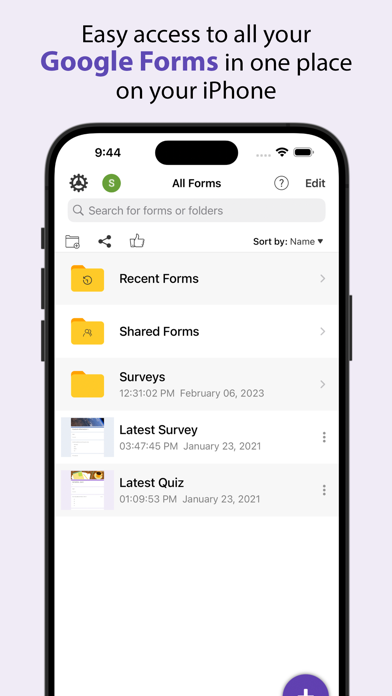
Create, edit, and manage all your Google forms on your iOS, iPhone, iPod or iPad with the free FormApp. With this app you can:
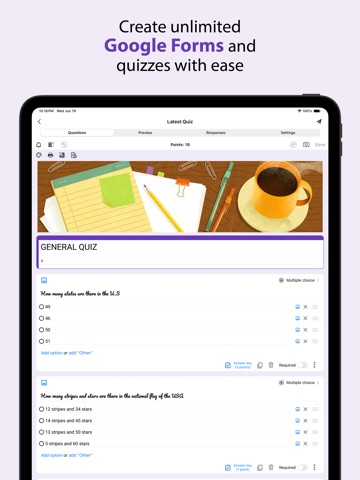
Create new forms:
• Create new forms on your iOS device.
• Tons of beautiful templates to choose from.
• Import questions from existing forms.
• Add collaborators / editors to your forms.
Edit existing forms:
• Open any form from your Google Drive on your iOS device.
• Create or edit any question.
• Undo / redo support.
• Re-order questions.
• Preview forms.
• Add and remove sections.
• Add response validation.
• Add images and videos.
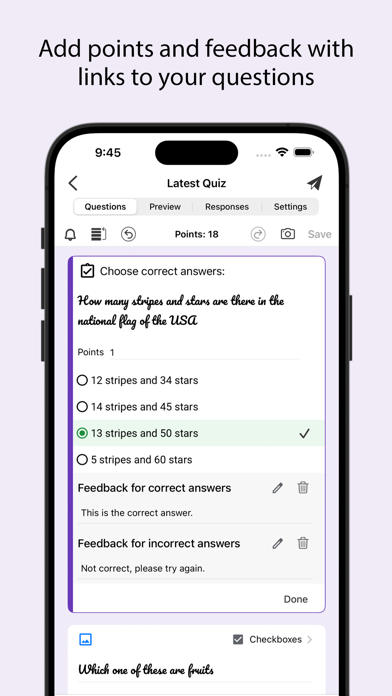
• Ability to set points.
• Ability to set correct answers.
• Ability to add feedback with url links.
Response notifications:
• Get notified via notifications whenever some submits a new response.
Scan questions:
• Scan questions using camera.
• Scan questions using images from photos library.
• Scan questions using doc, pdf, ppt etc files from the Files app.
• Scan questions using clipboard.
View form responses:
• View forms in three modes i.e. Summary, Questions and Individual responses mode on your iOS device.
• Export responses in CSV or Excel file format.
• Record responses in mp4 file format and share them in apps like Tiktok, Snapchat or Instagram etc.
• Responses are shown in beautiful graphs in summary mode.
• Ability to copy response charts to clipboard or save them to photos library.
• View responses based on questions in Questions mode.
• View responses from individual users in Individual mode.
• Ability to delete a single response or all responses.
• Ability to set individual feedback for responses to questions in quizzes.
• View and set score for quiz responses.
• Ability to filter form responses based on date, email, questions and score.
Disclaimer: This is a third party app not associated with Google. All trademarks are property of their respective owners.
Privacy Policy: https://www.byteflowapps.com/FormsPRO/policies/Privacy/
Terms of Use: https://www.byteflowapps.com/FormsPRO/policies/TermsOfUse/
GOT QUESTIONS? CAN'T FIGURE OUT HOW TO DO SOMETHING?
Please email us at support.formspro@byteflowapps.com and we’ll help you figure it out.