Prodrafts - Infinite Notes

Prodrafts - Infinite Notes Summary
Prodrafts - Infinite Notes is a free, with in-app purchases iOS app in Productivity by EMMO Corp.. Released in Dec 2020 (5 years ago). It has 567K ratings with a 4.84★ (excellent) average. Based on AppGoblin estimates, it reaches roughly 1.1M monthly active users and generates around $10K+ monthly revenue (100% IAP / 0% ads). Store last updated Oct 17, 2026
Recent activity: 18 new ratings this week View trends →
SDK intelligence: AppGoblin detected 3 development tools(e.g. Google), 1 analytics: product,and 1 ad networks integrated into Prodrafts - Infinite Notes. View full SDK list →
Prodrafts - Infinite Notes SDKs Summary
Prodrafts - Infinite Notes was last scanned for SDKs on 2026-08-04. Below is the overview of third-party companies detected in the app. The full list of SDKs, permissions and unknowns is available here.
 Google
 nanopb
 SDWebImage
 Firebase
 Snap
Snap4.84★
Ratings: 567K
Screenshots



App Description
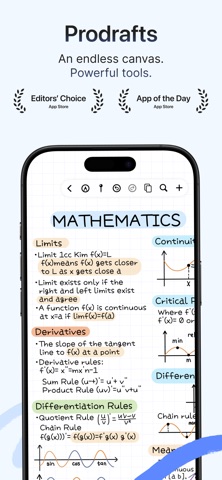
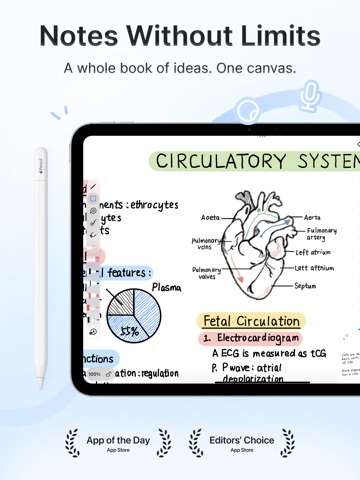
Write by hand, annotate PDFs and connect your ideas with Prodrafts. Move freely across an infinite canvas, use paged notebooks for structured work, or organize ideas in a mind map. Keep words, drawings and study materials together.
NOTES THAT FIT THE WAY YOU THINK
Capture lecture notes, sketch concepts and work through diagrams without running out of room. Use natural pen tools, shapes, a ruler and a compass for handwritten explanations and geometry notes.
READ, ANNOTATE AND REVISIT
Import PDFs, highlight key passages and add handwritten notes. Bring course slides, reading materials and PDF planners into your notebook. Search PDF text and make supported scanned PDFs searchable with OCR.
SEE CONNECTIONS
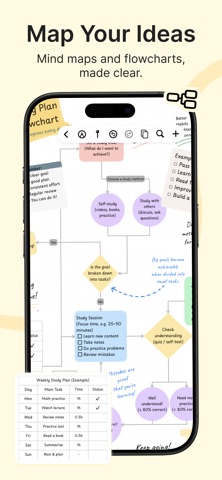
Build mind maps with text, handwriting and attachments. Move ideas, fold branches and connect related topics to make a clearer study outline or brainstorm board.
FROM QUICK NOTES TO DOCUMENTS
Write with headings, lists, tasks, tables, links and equations. Import and export Markdown, and export text documents to Word/DOCX. Add images and recordings to your notes. Place web link cards and video on your canvas to keep related material together.
PAPER FOR YOUR NEXT PROJECT
Choose lined, grid and dot paper, Cornell layouts, weekly and monthly planner pages, music staff and guitar tablature paper, or guides for handwriting practice. Use them for a reading journal, study sheets or handwritten planning.
RECORD AND PRESENT
Record classes, meetings and ideas. On supported systems and languages, turn recordings into text. Present your canvas on an external display and guide attention with the laser pointer.
KEEP YOUR WORK CLOSE
Organize documents in folders, enable iCloud sync across your devices, and share notes as PDFs or images.
Some tools, templates and document limits require an in-app purchase. Availability varies by device, system version and language. Audio transcription requires iOS, iPadOS or macOS 26 or later and a supported system language.
The subscription will automatically renew unless canceled, and will be charged through your Apple iTunes account. The price may vary depending on your location.
Prodrafts is a product registered and developed by EMMO Corp.
Support: prodrafts@163.com
Privacy Policy: https://www.prodrafts.cn/privacyPolicy
Terms of Service: https://www.prodrafts.cn/termsOfService