uScan - PDF Document Scanner

uScan - PDF Document Scanner Summary
uScan - PDF Document Scanner is a free, ad-supported, with in-app purchases iOS app in Business by Lopofist Limited. Released in Jan 2021 (5 years ago). It has 70K ratings with a 4.56★ (excellent) average. Based on AppGoblin estimates, it reaches roughly 304K monthly active users and generates around $10K+ monthly revenue (25% IAP / 75% ads). Store last updated Jul 20, 2026
Recent activity: -2 new ratings this week View trends →
SDK intelligence: AppGoblin detected 6 ad networks(e.g. Google), 3 development tools, 2 analytics: product,and 1 analytics: attribution integrated into uScan - PDF Document Scanner. View full SDK list →
uScan - PDF Document Scanner SDKs Summary
uScan - PDF Document Scanner was last scanned for SDKs on 2026-09-24. Below is the overview of third-party companies detected in the app. The full list of SDKs, permissions and unknowns is available here.
 Google
 Facebook
 AppLovin
 Digital Turbine
 Airbnb Engineering
 nanopb
 AppsFlyer
 Firebase
 Amplitude
4.56★
Ratings: 70K
Screenshots
App Description
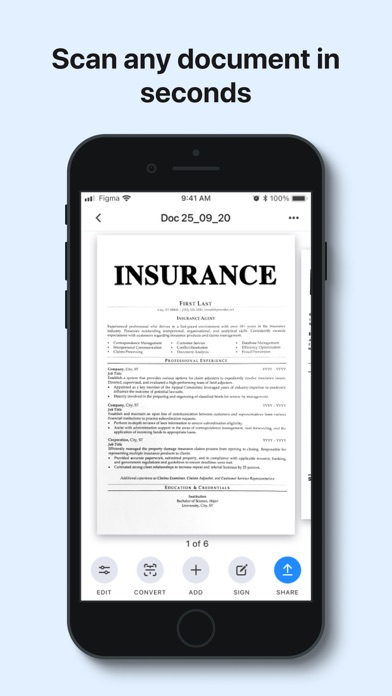
uScan is a fast scanner app that will turn your phone into a portable scanner that fits in your pocket!
Go paperless with our fast PDF scanner – keep high-quality documents handy.
Become more productive with our powerful free scanner app:
1. SCAN & EDIT ANY DOCUMENT
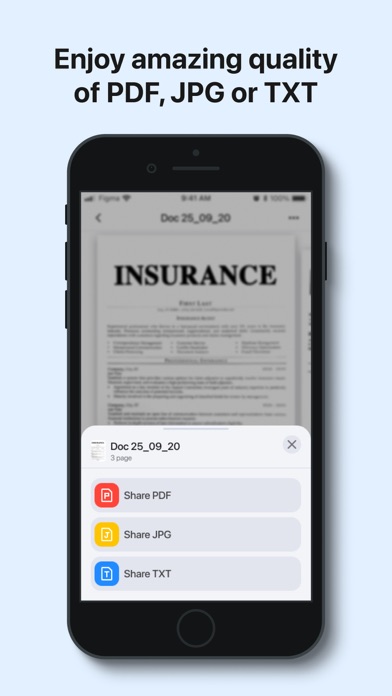
Scan anything you need, including receipts, contracts, paper notes, fax papers and books. Save, and share any document in just a few taps as multipage PDF or JPEG files.
A must-have for accountants, realtors, managers, small business owners, lawyers or students.
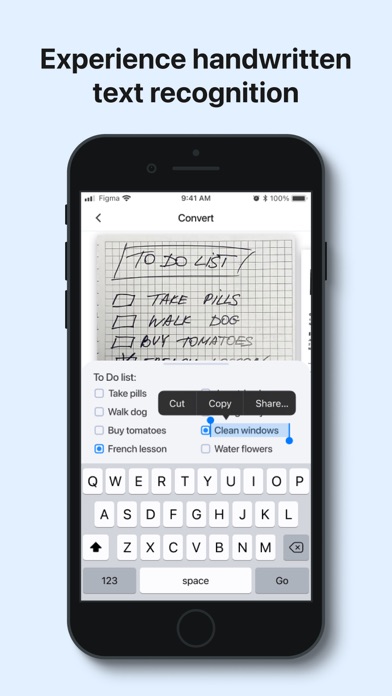
2. CONVERT IMAGE INTO EDITABLE TEXT
Extract text from any scanned page or image, edit it, and save as a new text document. Our highly accurate OCR scanner recognizes all popular languages.
3. SIGN DOCUMENTS IN JUST ONE TAP
Add an electronic signature to your contracts, invoices or bills and send them to business partners, colleagues, or clients on the go.
4. GET HIGH-QUALITY PDF or DOC files
Our advanced scanning technology removes shadows, corrects perspective and distortion. Scan anything and get a professional looking PDF or DOC file.
Keep the entire office in your pocket and increase your productivity at work, use scanner pro features to manage all your paperwork with ease.
Additional features:
- Smart image editor
- Variety of filters B&W, grayscale or color
- Easy sharing options
- Multi Page scanning
- Automatic shutter and border detection for any scannable object
- File manager with folders and drag & drop
- Built-in storage
- Offline mode
PRO scanner features:
- Unlimited number of scans and folders
- Text Recognition (OCR)
- Signature
Information about auto-renewal of subscription:
- Subscription automatically renews unless auto-renew is turned off at least 24-hours before the end of the current period.
- Subscriptions can be managed by the user and auto-renewal can be turned off by going to the user’s Account Settings after purchase.
- Any unused portion of the free trial period will be forfeited when the user purchases a subscription.
- Payment will be charged to iTunes Account at confirmation of purchase.
- An account will be charged for renewal within 24 hours prior to the end of the current period. The amount charged will depend on the selected plan.
Privacy Policy: https://lopofist.limited/scanner/privacy.html
Terms Of Service: https://lopofist.limited/scanner/tos.html
Subscription Terms: https://lopofist.