Speed Test & Wifi Analyzer +

Speed Test & Wifi Analyzer + Summary
Speed Test & Wifi Analyzer + is a free, with in-app purchases iOS app in Tools by Appenvision Ltd. Released in Feb 2021 (5 years ago). It has 61K ratings with a 4.41★ (good) average. Based on AppGoblin estimates, it reaches roughly 142K monthly active users and generates around $<10K monthly revenue (100% IAP / 0% ads). Store last updated Apr 10, 2026
Recent activity: 13 new ratings this week View trends →
SDK intelligence: AppGoblin detected 14 ad networks(e.g. Google), 4 development tools, 3 analytics: attribution, 1 analytics: product,and 1 business tools integrated into Speed Test & Wifi Analyzer +. View full SDK list →
Speed Test & Wifi Analyzer + SDKs Summary
Speed Test & Wifi Analyzer + was last scanned for SDKs on 2026-07-27. Below is the overview of third-party companies detected in the app. The full list of SDKs, permissions and unknowns is available here.
 Google
 Facebook
 AppLovin
 Unity
Unity Airbnb Engineering
 nanopb
 Reachability
 AppsFlyer
 Adjust
 AppMetrica
 Firebase
 Adapty
4.41★
Ratings: 61K
Screenshots
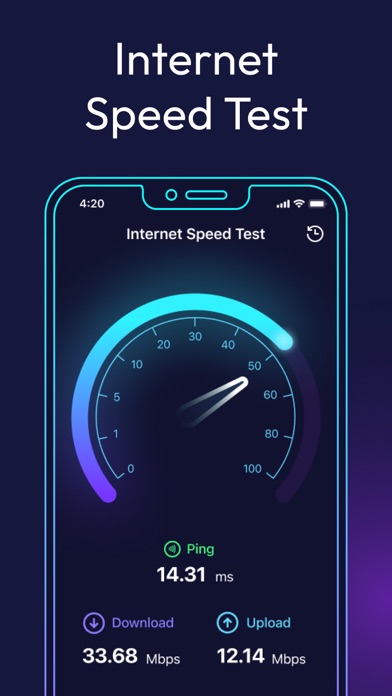


App Description
Stay in full control of your connection with a multifunctional network analyzer, built to help you understand exactly how your Internet and WiFi behave. Whether you're fixing an issue, improving performance, or tracking signal strength, you get clear tools to analyze your network and stay aware of what’s happening in real time.
App allows you to:
• Diagnose issues affecting your Internet connection or WiFi setup;
• Detect and monitor unauthorized devices on your network;
• Determine the geolocation of any IP address;
• Scan and analyze open ports on your device;
• Trace the full route of your network requests;
• Measure the actual speed of your Internet or WiFi signal;
• View detailed technical data about nearby WiFi networks and your cellular signal strength.
NETWORK INSIGHTS & DIAGNOSTICS:
AR MODE
Visualize how your network truly works with interactive AR markers. See real-time delay data between your router and smartphone and find the optimal spot in the room for the strongest, most stable connection. AR mode turns complex diagnostics into intuitive visuals that help you optimize WiFi signal strength.
LAN SCANNER
Explore every device connected to your network with a fast and precise scan. The tool instantly identifies all active devices, displaying their IP addresses, provider information, and other helpful details — perfect for detecting unknown connections or managing your home network.
OPEN PORT SCANNING
Understand the inner workings of your device by discovering which ports are currently open. This scan shows what each port is used for and helps you assess security, troubleshoot services, and keep your system running smoothly.
IP GEOPOSITIONING
See where any IP address is located on the world map. Use this IP scanner feature to analyze network routes, understand connection origins, or simply satisfy your curiosity about who — or what — is interacting with your network.
TRACEROUTE
Follow your data across the globe. Traceroute visualizes every step your request takes on its way to the final server, highlighting where delays or disruptions might occur. It’s an essential net analyzer tool for pinpointing connection bottlenecks.
SPEED CHECK
Get a clear picture of your connection’s real capabilities. The integrated speed test WiFi tester measures download, upload, and latency values to show how fast and stable your Internet