eZy Edit: Batch Photo Editor

eZy Edit: Batch Photo Editor Summary
eZy Edit: Batch Photo Editor is a free, ad-supported, with in-app purchases iOS app in Photo And Video by Whizpool. Released in Feb 2022 (4 years ago). It has 3.00 ratings with a 1.00★ (poor) average. Based on AppGoblin estimates, it reaches roughly 1.00 monthly active users and generates around $<10K monthly revenue (27% IAP / 73% ads). Store last updated Jul 29, 2024
eZy Edit: Batch Photo Editor SDKs Summary
App not yet scanned for SDKs.
1★
Ratings: 3.00
Screenshots


App Description
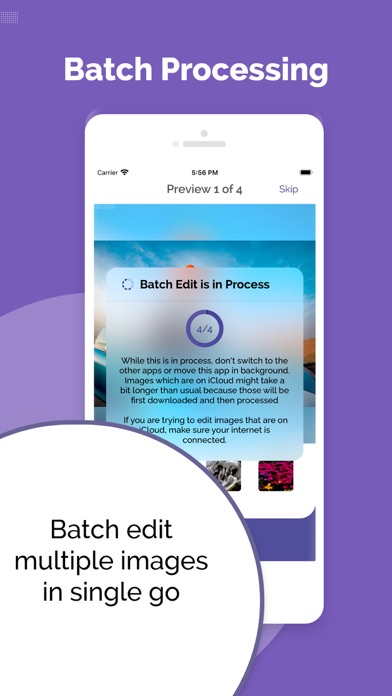
eZy Edit: Batch Photo Editor provides a great way to edit images in batch! All you have to do is to select photos from your gallery and start editing them right away. Here are some of the most prominent features of our app:
1 - Bulk Image Editing:
With eZy Edit: Batch Photo Editor you would be able to:
Crop
Rotate
Flip
Apply Effects
Compress
Convert
Resize multiple images with one click.
2 - Easy to use UI:
eZy Edit: Batch Photo Editor provides an easy to use user interface. You do not have to find an app manual or tutorials to use the app. Simply install it and start using it.
4 - Batch Image Resizer:
Do you have multiple pictures that are needed to be resized? Worry not, with eZy Edit you can select multiple pictures, specify the dimensions and the app will resize them all.
5 - Batch Photo Flip:
eZy Edit allows you to flip your multiple photos at once and you can also use your own created template for it.
6 - Batch Image Converter:
With eZy Edit you can convert images in JPG, PNG, and others.
7 - Batch Image Compressor:
You can now easily reduce your image file size with good quality and share it wherever you want. With the batch image compressor feature, you can compress multiple images with a single click.
8 - Portrait/Landscape Mode:
Do you take pictures in landscape or portrait mode? Editing these pictures altogether is a headache. With our app, editing landscape or portrait images is a piece of cake. Just select the mode, create a template, and start editing your images.
9 - Multiple Effects Available:
eZy Edit comes with different effects. You can apply them to a single image or multiple images at once.
10 - Create/Choose Template -(Batch Image Editor):
You can easily create a template, save it to storage, and reuse it later multiple times. You can edit multiple images using an existing template and it is also a time-saving approach.
11 - Dynamic Preview: While you go through a series of editing phases, you can continuously see the effect on your images. This makes it much easier to get your editing just right; it feels like you’re editing images in real-time and seeing the results side by side.
12 - Save Editing: eZy Edit never edits your original files directly. Instead, it creates a copy of your original images and saves the edited ones separately, so your originals remain untouched.
13 - Smart File Naming: Using eZy Edit you can ea