Device Tracker: Detect Devices

Device Tracker: Detect Devices Summary
Device Tracker: Detect Devices is a free, with in-app purchases iOS app in Tools by Sandya Leelarathne. Released in Jan 2021 (5 years ago). It has 1.2K ratings with a 4.39★ (good) average. Based on AppGoblin estimates, it reaches roughly 3.1K monthly active users and generates around $<10K monthly revenue (100% IAP / 0% ads). Store last updated Jun 18, 2026
Device Tracker: Detect Devices SDKs Summary
App not yet scanned for SDKs.
4.39★
Ratings: 1.2K
Screenshots



App Description
Device Tracker – Bluetooth Finder & AirPods Locator
Lost your AirPods, Apple Watch, headphones, or another Bluetooth device? Device Tracker helps you find them fast.
Device Tracker is a powerful Bluetooth Finder and BLE Scanner designed to help you locate nearby Bluetooth devices using real-time signal strength. Whether your device is hidden under a couch, left in your car, or misplaced somewhere nearby, Device Tracker guides you to it quickly and easily.
No complicated setup. No technical knowledge required.
Features
• Find nearby Bluetooth devices in seconds
• Real-time Bluetooth signal strength tracking
• Smart device locator and proximity radar
• Fast Bluetooth device detection
• Simple and intuitive interface
• Supports most Bluetooth Low Energy (BLE) devices
Find Devices Such As
• AirPods, AirPods Pro, and AirPods Max
• Apple Watch
• Apple Pencil
• iPhone and iPad
• Beats headphones and earbuds
• Fitbit devices
• Bluetooth speakers
• Wireless headphones and earbuds
• Tile trackers
• Most BLE-enabled devices
How Device Tracker Works
1. Open the app and allow Bluetooth access
2. Scan for nearby devices
3. Select the device you’re trying to find
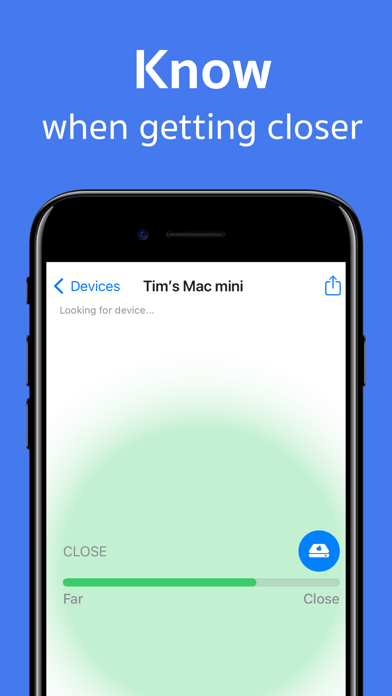
4. Follow the live signal strength indicator
5. Move toward the strongest signal
As you get closer to the device, the signal becomes stronger, helping you locate it faster.
Perfect For
• Finding lost AirPods
• Locating misplaced Bluetooth headphones
• Tracking nearby Bluetooth devices
• Finding your Apple Watch around the house
• Detecting Bluetooth trackers and accessories
• Locating wireless earbuds and speakers
Tips for Better Results
• Ensure the device is powered on
• Bluetooth must be enabled on the device
• Move slowly while monitoring signal strength
• Remove AirPods from the charging case when searching
• Search within Bluetooth range for best results
Bluetooth Range
Device Tracker can detect Bluetooth devices within approximately 330 feet (100 meters) under ideal conditions. Walls, furniture, and other obstacles may reduce the effective range.
Important Information
Device Tracker locates devices by detecting their Bluetooth signal. The device must be powered on, actively broadcasting Bluetooth, and within detectable range.
Need Help?
Questions or feedback?
Contact us at:
sandya.leelarathne@gmail.com
We’re happy to help.
Su