Malout Directory

Malout Directory Summary
Malout Directory is a free iOS app in Social Networking by Harmanjot Singh. Released in Jan 2021 (5 years ago). It has 2.00 ratings with a 5.00★ (excellent) average. Based on AppGoblin estimates, it reaches roughly 5.00 monthly active users . Store last updated Feb 5, 2026
Malout Directory SDKs Summary
App not yet scanned for SDKs.
5★
Ratings: 2.00
Screenshots


App Description
Malout Directory Mobile App is a Smart Mobile Directory app in which one can search anybody’s contact no. very easily. Besides this, you can also Call, Message, WhatsApp, or Share something in a single click.
* One-Click One-Time Login
To login into Malout Directory Mobile App, you just need to provide your name and mobile number. If outside India, you need to select country code, then provide your mobile number, and name just once. As it’s a one-time login system, the app will never prompt you to login again.
* Smart Search
Smart search enables you to search for any information based on:
1) Phone No.
2) Name
3) Category
The search process is as simple and easy as it can be.
* Top Bar Special Categories
The red bar at the top provides a list of 10 Emergency and Daily need categories. This is just for the convenience of the user in case they are searching for the categories in an emergency.
* List View
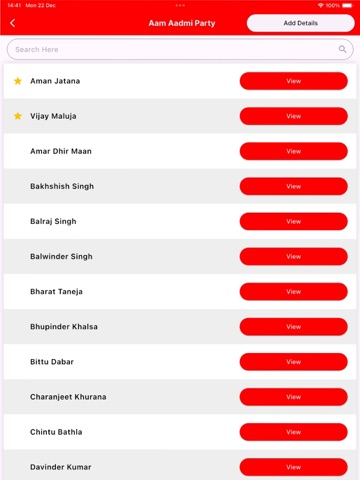
On selecting a category, you get a list of persons under that category. Each person also has a view button attached so that the users can view detailed information about that person.
* Contact View
On clicking the View button, the details of the person such as person / Business Name, Phone Number, and Description are displayed.
* One-Click Call
This is an added advantage. The user need not copy the phone number and then call. Simply click the phone icon to make a call.
* One-Click WhatsApp
Just like the above-mentioned One Click Call, users can send a message using WhatsApp by clicking the WhatsApp icon.
* One-Click Message
If a WhatsApp number is not available, then one can just click the message icon to send a message through SMS.
* One-Click Website
If a contact/ business has a website then it can be opened with a single click on the Website button and get all the details from the website.
* One-Click Share
If you want to share the details with a contact, all you need to do is select the appropriate share service such as SMS, Facebook, WhatsApp, Instagram, etc. by clicking on it.
* Add to Favorites
Any contact that you wish to use repeatedly, you can add it to favorites. It is possible to access the favorites list without any Internet connection even.
Fixing Wrong Information with Fix Now
In case your contact number or that of a person known to you needs to be updated, you can do so by clicking the Fix Now button and submit the details. The d