Swan DB

Swan DB Summary
Swan DB is a with in-app purchases iOS app in Business by Polylize. Released in Apr 2021 (5 years ago). Store metadata: updated May 8, 2021.
Store info: Last updated on App Store on May 8, 2021 .
0★
Ratings: 0
Screenshots


App Description
This app is a generic barcode / QR code reader for database. There is a in-app purchase, but every feature is available for free.
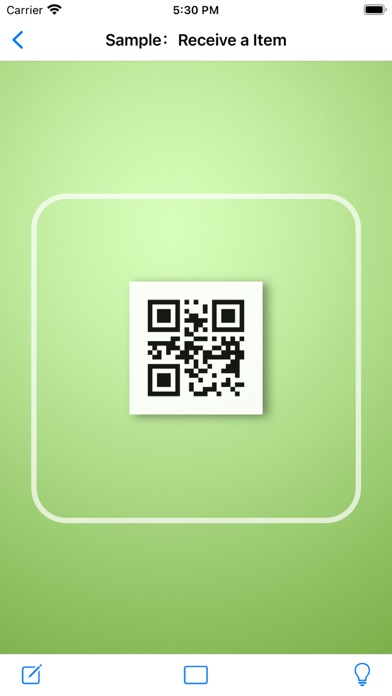
With Swan DB, you can read barcode, or you can get the results of the query, or you can update your database. You don't need to buy expensive wireless Handheld Terminal.
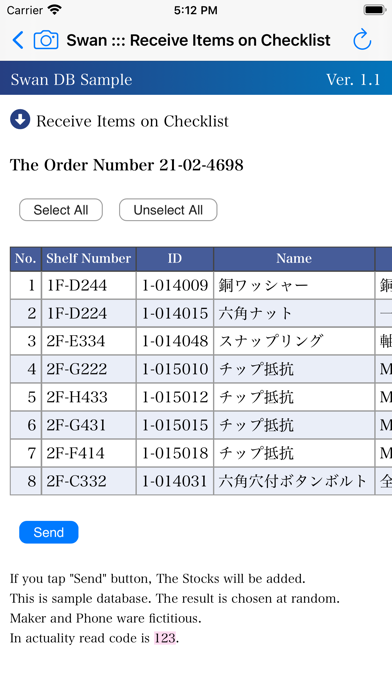
However, the design of the database is various, so there is a limit to support by a native app. Swan DB uses Web Application for overcoming the difficulties. So Swan DB pass read code to Web Application as a parameter. The web app that was made by such as PHP or Python send query to your database, and get the result.
It is one of the design concepts of Swan DB.
If you’re already operating in a database and web app, you can only introduce just a few additional corrections.
To operate this app correctly, you will need a database and a network and a web app knowledge. Please consult with the system officer.
[Features]
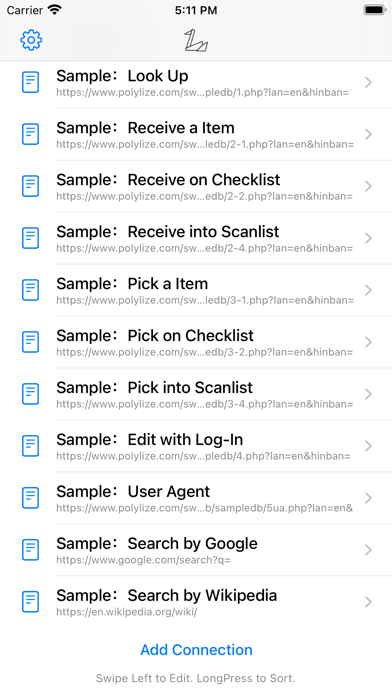
・Entry multiple URLs.
Creating web app pages for each queries to the database and register its URL into Swan DB, editing stocks, picking, receiving, order systems, accounting system, attendance systems, and other databases It can be processed in various ways. Entry you can items receive items make login use various.
・Input directly
You can enter the code directly if the bar code is torn or unreadable.
・Basic / Digest Authentication
By entry username and password to an app, you can simplify your authentication on the URL.
・Lock your settings with password
Protect the settings with password. Only the administrators who know the password can add and edit connections. The URL on the connecting will also be not displayed on the list. Set your company to be securely controlled in such a case.
・No reload on the POST screen
You cannot reload the POST screen to prevent duplication transmission.
・Add Strings to User-Agent in the browser
You can use it to distinguish access from Swan DB from others.
・Scan-List
After you’ve read the order bar code, you can download your entry list from the database and send it in a lump after you have been rad in a row. This will require a web app created along the specification. Please feel free to contact us as you will look at the sample and set it properly or set it on your fee.
[About In-App Purchase]
This app has a restriction of functionality that waits three seconds after reading. We pr