Background Eraser: Remove BG

Background Eraser: Remove BG Summary
Background Eraser: Remove BG is a free, with in-app purchases iOS app in Art And Design by Appostrophe AB. Released in Feb 2021 (5 years ago). It has 5.9K ratings with a 4.43★ (good) average. Based on AppGoblin estimates, it reaches roughly 23K monthly active users and generates around $<10K monthly revenue (100% IAP / 0% ads). Store last updated Jan 17, 2023
Recent activity: -1 new ratings this week View trends →
SDK intelligence: AppGoblin detected 3 development tools(e.g. Google), 2 ad networks,and 1 analytics: product integrated into Background Eraser: Remove BG. View full SDK list →
Background Eraser: Remove BG SDKs Summary
Background Eraser: Remove BG was last scanned for SDKs on 2026-08-21. Below is the overview of third-party companies detected in the app. The full list of SDKs, permissions and unknowns is available here.
 Google
 nanopb
 Alamofire
 Facebook
 Snap
Snap Firebase
4.43★
Ratings: 5.9K
Screenshots


App Description
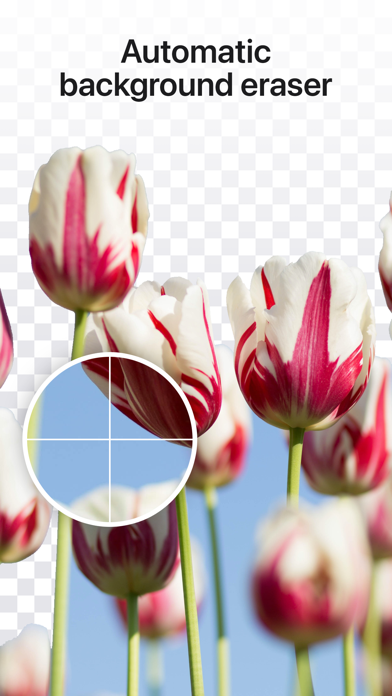
Cut out photos and remove backgrounds in just a few taps! Background Eraser offers a bunch of easy-to-use tools to help you with anything from creating transparent backgrounds to combining and blending different images. And on top of it all, it is completely free!
REMOVE BACKGROUND
Background Eraser helps you remove any background in no time. You can then either save it as a transparent image, or add another layer to use as background.
MAGIC ERASER
Automatically remove the background using our magic eraser tool. Simply tap on the area you want to erase, and the app will do the rest!
CUT OUT IMAGES
With the scissor tool, you can cut out images and save them as transparent PNGs. You may also crop the size of the image using our crop tool.
COMBINE & BLEND PHOTOS
Combine and mix multiple layers of photos and create double exposure masterpieces.
-----------------
While Background Eraser is completely free to use, some additional design elements (such as premium fonts and graphics) and features require a paid subscription. Please see the subscriptions details below.
- The subscription is automatically renewed every month or year until cancelled.
- Your payment will be charged to your iTunes Account as soon as you confirm your purchase.
- You can manage your subscriptions and turn off auto-renewal from your Apple ID account settings after the purchase.
- Your subscription will renew automatically, unless you turn off auto-renew at least 24 hours before the end of the current period.
- The cost of renewal will be charged to your account in the 24 hours prior to the end of the current period.
- When canceling a subscription, your subscription will stay active until the end of the period. Auto-renewal will be disabled, but the current subscription will not be refunded.
About Subscriptions - http://appostrophe.se/background-eraser/subscriptions.html
Terms of Use - http://appostrophe.se/background-eraser/terms.html
Privacy Policy - http://appostrophe.se/background-eraser/privacy.html