Screen Recorder ‑ Record Video

Screen Recorder ‑ Record Video Summary
Screen Recorder ‑ Record Video is a free, ad-supported, with in-app purchases iOS app in Tools by Cleaner LLC. Released in Feb 2021 (5 years ago). It has 44K ratings with a 4.64★ (excellent) average. Based on AppGoblin estimates, it reaches roughly 148K monthly active users and generates around $10K+ monthly revenue (31% IAP / 69% ads). Store last updated Aug 14, 2026
Recent activity: 59 new ratings this week View trends →
SDK intelligence: AppGoblin detected 5 development tools(e.g. Google), 3 ad networks, 1 analytics: attribution,and 1 analytics: product integrated into Screen Recorder ‑ Record Video. View full SDK list →
Screen Recorder ‑ Record Video SDKs Summary
Screen Recorder ‑ Record Video was last scanned for SDKs on 2026-09-23. Below is the overview of third-party companies detected in the app. The full list of SDKs, permissions and unknowns is available here.
 Google
 Facebook
 AdMob
AdMob Airbnb Engineering
 nanopb
 Alamofire
 AppsFlyer
 Firebase
4.64★
Ratings: 44K
Screenshots


App Description
The only screen recorder you will ever need – this app lets you record your screen in 4K, create facecam reaction videos, and live stream games on Twitch, YouTube, and Facebook. You can also edit your recorded videos, add audio commentary and texts, capture dual camera video, and convert videos to GIFs on the fly.
Key Features:
- Hassle-free screen recording up to 4K
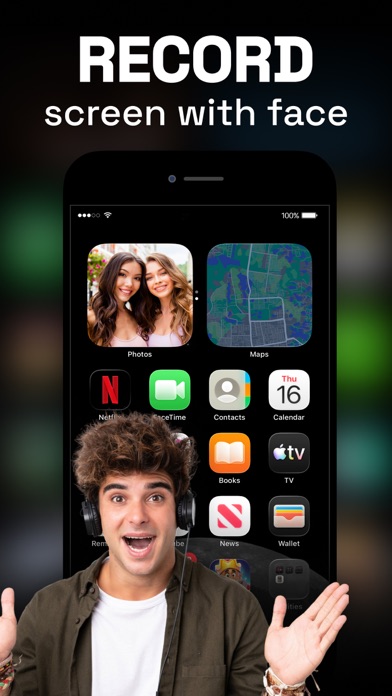
- Record facecam reactions live while screen recording, no need to add them later
- Go live using your camera or screen
- Set auto-stop duration to end your screen recording automatically
- Record videos with a scrolling script using the built-in Teleprompter
- Supports RTMP, Twitch, Facebook, and YouTube, and other live streaming platforms
- Set screen recording settings such as video resolution, bit rate, frame rate, and orientation
- Record screen videos, gameplay, and tutorials
- Facecam reaction on videos with a customizable Facecam overlay
- Capture dual camera videos
- Add widgets to your Home Screen for quicker access
- Add audio commentary to videos
- Inbuilt video editor: trim, rotate videos, tweak volume, change speed, apply video filters, add texts and stickers after recording videos
- Video to GIF converter: turn videos into GIFs
- Share video recordings with other apps such as Instagram, Messenger, Facebook, etc.
LIVE FACECAM AND COMMENTARY
The Screen Recorder app lets you add facecam reactions over videos and now also while screen recording with ease. Capture gameplay and record facecam reactions at the same time, with no need to add them later. You can still add facecam reactions after recording, insert commentary into your videos, and seamlessly create presentations and tutorials. You can also give commentary on videos from your library
LIVE STREAMING
Effortlessly live stream your phone screen or camera anytime you wish. With one of the best live streaming apps, you can easily broadcast games or live stream on YouTube, Twitch, Facebook, and other streaming platforms.
ROBUST VIDEO EDITOR
Record your screen and start personalizing the video with tons of editing options. The possibilities are limitless, from trimming videos and applying trendy filters to adding text and stickers.
DUAL CAMERA RECORDING
Record both front and back cameras simultaneously using the Dual Camera feature. Capture your reactions and the world around you with perfect sync. Whether you’re vlogging