I Spotted it : Find All!

I Spotted it : Find All! Summary
I Spotted it : Find All! is a free, ad-supported, with in-app purchases iOS app in Casual by Brightika, Inc.. Released in Dec 2021 (4 years ago). It has 823 ratings with a 4.64★ (excellent) average. Based on AppGoblin estimates, it reaches roughly 153 monthly active users and generates around $<10K monthly revenue (25% IAP / 75% ads). Store last updated Feb 8, 2023
I Spotted it : Find All! SDKs Summary
App not yet scanned for SDKs.
4.64★
Ratings: 823
Screenshots


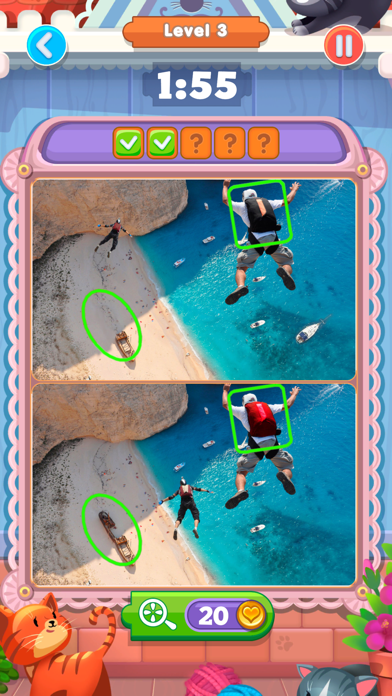


App Description
Are you ready to become a genius in finding differences? Download our new free puzzle game ´I Spotted It’ and try to find differences in the pictures.
Magnificent buildings and beautiful landscapes, interesting things, expensive cars and cute animals are waiting for you in this game!
This is the best game to train your logical thinking and attention. It’s easy to train attentiveness in ‘I Spotted It’. Compare two practically identical pictures and try to find the differences. Play any time and any place. Start searching for differences right now in a free game ‘I Spotted It’.
Can you find all the differences and hidden objects in different pictures?
What makes ‘I Spotted It’ the best?
‘I Spotted It’ is made with love for kids and adults. Find differences together with your family
Lots of high-quality images
The game is absolutely free to download. One of the best free puzzle games
Each pair of pictures hides 5 differences. Can’t find them all? Use clues!
In ‘I Spotted It’ you can search for differences on 1000+ levels
Puzzle games are your favorite? Do you solve hard tasks easily? It’s time to wake your inner genius and win as many levels as possible in our free puzzle game ‘I Spotted It’
SUBSCRIPTION PRICING AND TERMS
Premium status offers weekly subscription after 3-day free trial. It removes all ads, provides 30 Coins on a daily basis and unlocks special offer in the shop.
End of trial and subscription renewal
This price is for United States customers. Pricing in other countries may vary and actual charges may be converted to your local currency depending on the country of residence.
Payment will be charged to iTunes Account at confirmation of purchase.
Subscription automatically renews unless auto-renew is turned off at least 24-hours before the end of the current period.
Account will be charged for renewal within 24-hours prior to the end of the current period, and identify the cost of the renewal.
Subscriptions may be managed by the user and auto-renewal may be turned off by going to the user’s Account Settings after purchase.
Any unused portion of a free trial period, if offered, will be forfeited when the user purchases a subscription to that publication, where applicable.
Canceling trial or subscription
You can turn off the auto-renew for the subscription whenever you want to through iTunes. Check h