C Vault : Privacy Vault
C Vault : Privacy Vault Summary
C Vault : Privacy Vault is a ad-supported, with in-app purchases iOS app in Tools by FENIL PATEL. Released in Apr 2021 (5 years ago). It has 469 ratings with a 4.54★ (excellent) average. Based on AppGoblin estimates, it reaches roughly 1.8K monthly active users and generates around $<10K monthly revenue (29% IAP / 71% ads). Store metadata: updated Apr 15, 2026.
Recent activity: 1.00 new ratings this week View trends →
Store info: Last updated on App Store on Apr 15, 2026 .
4.54★
Ratings: 469
Screenshots




App Description
C Vault is photo locker & video locker app with great privacy protection to easily hide photos, hide videos & files.
Top Features:
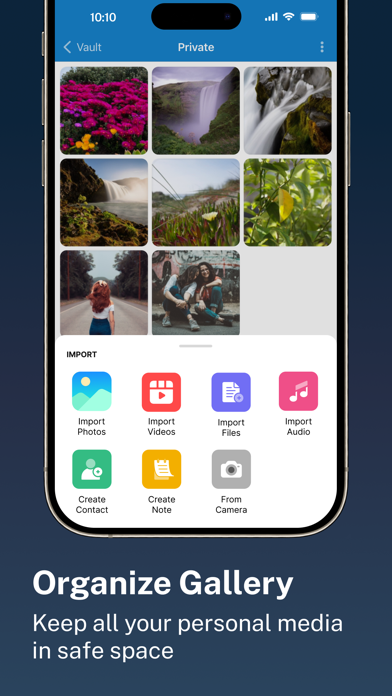
• Import Pictures & Videos: Keep photos & videos safe into the Cloak⁺. View hidden photos inside the C Vault app. You can hide video in many formats. You can also play videos inside vault without unlock the file.
• Private Audio: Hide music and voice notes.
• Notes & Contacts: Whether you want to create a list of things you keep in your documents or write down your private feelings. you can do so securely with the ‘Create Notes’ feature. You can also create contacts inside this C Vault app.
• Album Cover: You can set your desired album cover..
• Private Browser: Private web browser to download and Lock photos, hide videos and music audios from the Internet.
• Save Intruder Photos: Capture a picture of anyone who tries to open C Vault using wrong time password.
• Themes: Choose different type of locker theme colours to beautify your app experience.
• Cloud Backup: Easily backup your private photos, videos and files into your own Drive. Helps to prevent loss of important data and restore your data in case of loss or theft of device.
• Device migration: Transfer all files seamlessly to the new device app works like the old one.
How to set up the password?
Step 1: Launch the ClockV app and the clock hands will be moved at 00:00 position for password setup.
Step 2: Move the hour and/or minute clock hand to set a desired time password and press the Center button of the clock to confirm.
Step 3: Now repeat the same password again and press the Center button of the clock to confirm. The vault will be open!
How to unlock the app?
Step 1: Launch ClockV, Press the Center button of the clock. The Clock Hands will be moved to the 00:00 positions.
Step 2: Now you can move the clock hour and/or minute hands manually to your password position and press the Center button again to validate. Now you can hide photos, videos & other files.
Forgot password?
Question: What can I do if I forgot my password?
Answer: Launch ClockV and press the Center button of the clock. Set 10:10 time by moving hour and minute clock hands and press the Center button again. It will open password recovery option. You must have set the password recovery option in order to use