Riverside: Record, Edit, Share

Riverside: Record, Edit, Share Summary
Riverside: Record, Edit, Share is a free, with in-app purchases iOS app in Photo And Video by riverside.fm. Released in Apr 2021 (5 years ago). It has 29K ratings with a 4.72★ (excellent) average. Based on AppGoblin estimates, it reaches roughly 16K monthly active users and generates around $<10K monthly revenue (100% IAP / 0% ads). Store last updated Oct 26, 2026
Recent activity: 45 new ratings this week View trends →
SDK intelligence: AppGoblin detected 8 development tools(e.g. Google), 5 business tools,and 3 analytics: product integrated into Riverside: Record, Edit, Share. View full SDK list →
Riverside: Record, Edit, Share SDKs Summary
Riverside: Record, Edit, Share was last scanned for SDKs on 2026-10-07. Below is the overview of third-party companies detected in the app. The full list of SDKs, permissions and unknowns is available here.
 Google
 Amazon
 Airbnb Engineering
 nanopb
 Firebase
 Segment
 Customer.io
 RevenueCat
 Fullstory
 LaunchDarkly
 Spotify Technology S.A.
4.72★
Ratings: 29K
Screenshots



App Description
NEW: MEET RIVERSIDE AGENTS
The first AI production team built only for video, now in your pocket. You finish recording, and your team's already on it. Your Producer preps the session, your Editor creates a rough cut, your Clipper pulls the best moments, and your Marketer gets them live. They're experts at video. You call the shots.
Riverside turns your phone into a portable studio for conversations and talking head videos. Record crisp video and audio anywhere, go live to your audience, and let your agents take it from raw recording to ready to post. Whether you're creating a podcast, a YouTube channel, a personal brand, or content for your business, this is where it gets made.
RECORD ANYWHERE, IN STUDIO QUALITY
Record solo, bring on a remote guest, or go audio-only. Riverside captures every track locally, so your quality stays sharp even when your connection doesn't. A built-in stabilizer keeps your shot steady, and your footage uploads in the background as you record, so your agents can get started the moment you stop.
CLIPS FOR SOCIAL, MADE FOR YOU
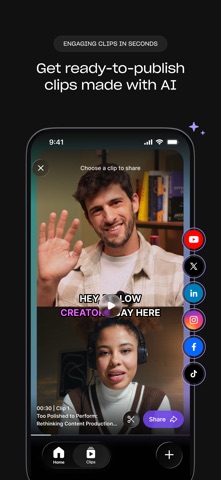
Knowing what to post is hard. Making it is harder. Your Clipper agent does both. It finds your most engaging moments before you've even watched the recording back, then cuts them, frames them, and adds the captions. You get the best clips from every recording, ready to publish with a tap.
EDIT WITH A PROMPT
Describe your edit, and your Editor agent makes it. No timeline. No pinching and dragging clips around on a small screen. Tell it which parts to cut and keep, ask it to clean up audio and remove filler words, or add captions and branding. It'll even suggest edits of its own. It's the fastest route from raw recording to ready to post, and when you want more control, your project is waiting for you in the Riverside desktop editor.
TURN ONE RECORDING INTO A CONTENT ENGINE
Your agents take a single recording and make the rest for you: social clips, a thumbnail, captions, a blog post, full show notes. Just ask.
LIVE STREAM TO EVERYWHERE AT ONCE
Go live and multistream to YouTube, Facebook, LinkedIn, X, Twitch, TikTok, and custom RTMP destinations at the same time. One session, every audience.
PICK UP WHERE YOU LEFT OFF
Record on your phone and finish on your computer, or start at your desk and keep going on the move. Your videos are synced to the cloud, and your agents keep working in between, so you can r