Certificate Maker:Creator

Certificate Maker:Creator Summary
Certificate Maker:Creator is a free, ad-supported, with in-app purchases iOS app in Productivity by Krunalsingh shaktawat. Released in Feb 2021 (5 years ago). It has 903 ratings with a 4.78★ (excellent) average. Based on AppGoblin estimates, it reaches roughly 3.4K monthly active users and generates around $<10K monthly revenue (26% IAP / 74% ads). Store last updated Mar 13, 2025
Certificate Maker:Creator SDKs Summary
App not yet scanned for SDKs.
4.78★
Ratings: 903
Screenshots




App Description
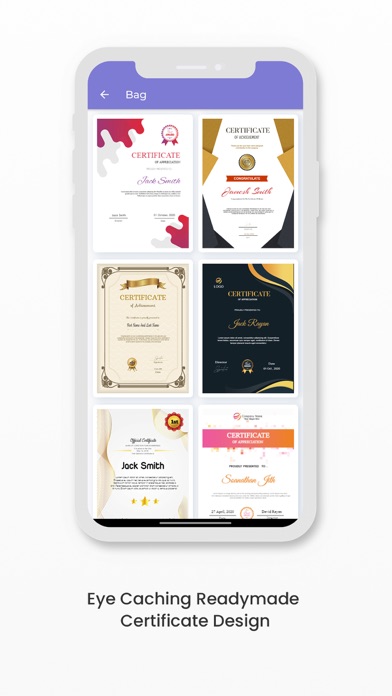
Certificate Maker - Certificate Editor Online App is packed with loads of free resources including millions of images & hundreds of templates, fonts and icons that you can use entirely free. Customize it any way you want and download print-ready high-resolution files for free!
Create a professional certificate with free certificate templates provided in this Certificate Editor.
Here's a huge collection of the top Certificates cards and messages including: funny messages, sincere messages many more...
It's become very easy to generate Certificate Template at home by simply using Certificate Maker - Certificate Editor Online app and make easy access to designing certificate and award giving Certificates to have fun with your friends and family.
Download free e-certificate templates with formal certificate borders to personalize. There are portrait and landscape versions for each template...
The easiest way to Certificate Design, vouchers and awards (even without a day's design experience). In a matter of minutes, you can be done with designing, sending or printing your certificate.
Professional Certificate Maker - Certificate Editor Online is like visiting card and logo maker app which design your logo and make visiting card at home.
How To Maker A Certificate
1. Pick the perfect size
Start the design process by selecting a size and layout for your certificate. Certificate Maker - Certificate Editor Online Post gives you many standard size selections to choose from. You can also get creative and customize the size to fit your needs.
2. Choose a theme
Themes are a great way to start the design process. Certificate Maker - Certificate Editor Online has numerous themed design templates to choose from. You can find the theme that's perfect for your certificate or design one from scratch. Themes help set the tone for your certificate.
3. Personalisse with images
Add photos and other images to personalize your certificate and make it stand out. You can upload your own images or choose from Certificate Maker - Certificate Editor Online's library of free stock photos.
4. Descibe with engaging text
Make your certificate stand out with text. With Certificate Maker - Certificate Editor Online, you can add or edit text and make changes to spacing, opacity, font, color, and orientation.
5. Download, share
Once you're finished with your certificate, you can downlo