Volume Booster • Bass Booster

Volume Booster • Bass Booster Summary
Volume Booster • Bass Booster is a with in-app purchases iOS app in Music And Audio by Ofir Yagil. Released in Mar 2021 (5 years ago). It has 713 ratings with a 4.33★ (good) average. Based on AppGoblin estimates, it reaches roughly 3K monthly active users and generates around $<10K monthly revenue (100% IAP / 0% ads). Store metadata: updated May 4, 2026, version 26.
Recent activity: 7.00 new ratings this week View trends →
Data tracking: SDKs and third-party integrations were last analyzed on Apr 10, 2026.
Store info: Last updated on App Store on May 4, 2026 (version 26).
4.33★
Ratings: 713
Screenshots


App Description
Video Volume Booster is a simple yet powerful video editor for boosting volume and improving the sound of your video files.
VOLUME BOOSTER
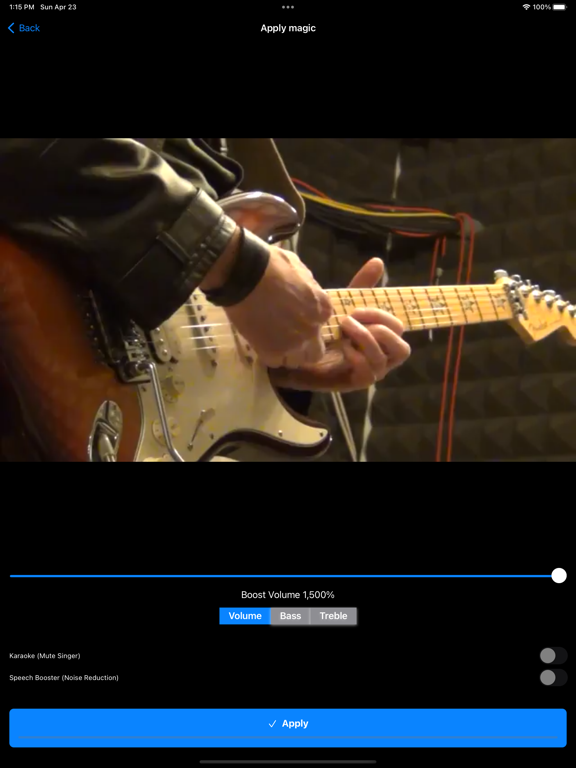
* Boost the volume of your videos up to 1500%
* Real-Time processing of the audio parameters
* Boost the actual video files above their maximum level
* Saves history of all converted videos
* Keeps the original high quality of the video
* You can save the boosted result to Photos or Files
* Share results with friends using any other social app you like
* All common video formats are supported (mov, mp4, flv, and more)
BASS AND TREBLE BOOSTER
* Boost the bass frequencies of the video file up to 1500%
* Boost the treble frequencies of the video file up to 1500%
* Choose between different boosting options to get the best results
SMART EQUALIZER
* Adjust audio parameters for different frequencies
* Change high, medium and low frequencies for perfect tuning
* Save the result after achieving the perfect tune
SPEECH BOOSTER
* Increase speaker's voice and reduce other unwanted noises
* Detect human voice and enhance it.
* Mute other background noises like wind, hiss, knocks, hums and more.
KARAOKE (MUTE SINGER)
* Mute the singer in songs
* Keep only the melody of your favorite music files.
* Share the karaoke result files with friends or play directly from the app.
* Note: Karaoke feature works properly only for stereo music files.
Important: Boosting the volume too much could cause unwanted sound artifacts in the result files. Therefore we recommend starting with small amounts of boosting (120%, 150%, etc.) and increasing that as long as the result still sounds fine.
---
Please read our terms of service and privacy policy before using the application:
* Terms of service - https://ofirapps.blogspot.com/2021/03/video-volume-booster-terms-and.html
* Privacy Policy - https://ofirapps.blogspot.com/2021/03/video-volume-booster-privacy-policy.html