Birth Control Pill Reminder ~

Birth Control Pill Reminder ~ Summary
Birth Control Pill Reminder ~ is a free, ad-supported, with in-app purchases iOS app in Medical by Victor Bujanivskiy. Released in May 2021 (5 years ago). It has 159 ratings with a 4.02★ (good) average. Based on AppGoblin estimates, it reaches roughly 424 monthly active users and generates around $<10K monthly revenue (41% IAP / 59% ads). Store last updated Aug 9, 2026
Birth Control Pill Reminder ~ SDKs Summary
App not yet scanned for SDKs.
4.02★
Ratings: 159
Screenshots



App Description
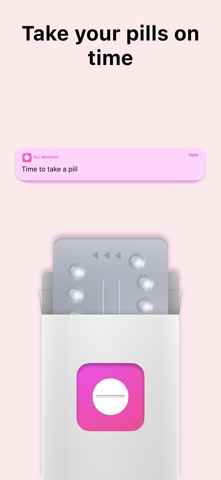
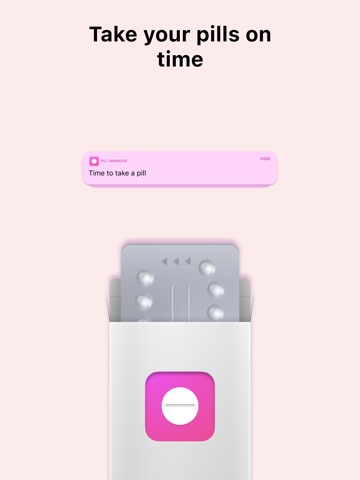
Birth Control Pill Reminder ~ - you will never forget to take birth control pills again. The app is very easy to set up and use. Track when to take birth control pills.
Cool app features
- Daily reminder. The app knows when you have a break and when you need to be reminded. (no annoying alarms).
- Scheduler. Track when you need to buy a new pack of pills, or make an appointment with a doctor.
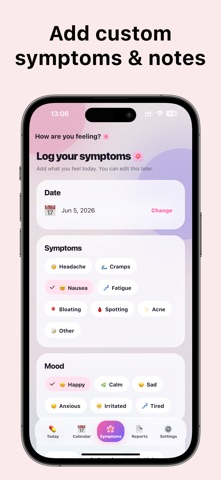
- History. Make convenient notes, track symptoms. All of these steps will help your doctor make the right conclusions about your health.
- Forecast. Make plans based on your period.
- Table. Convert your history into a comprehensible PDF spreadsheet.
You should use Birth Control Pill Reminder ~ as a support, not an exclusive reminder. We are not responsible for missed pills. We are not responsible for any misuse of pills.
- SUBSCRIPTION INFO -
Offers auto-renewal subscription options:
- 1 month ( auto-renewal )
- 1 year ( auto-renewal )
*Payment will be charged to iTunes Account at confirmation of purchase.
*Subscription automatically renews unless auto-renew is turned off at least 24-hours before the end of the current period.
*Account will be charged for renewal within 24-hours prior to the end of the current period, and identify the cost of the renewal.
*Any unused portion of a free trial period, if offered, will be forfeited when the user purchases a subscription to that publication, where applicable.
*Subscriptions may be managed by the user and auto-renewal may be turned off by going to the user's Account Settings after purchase.
Terms of Use:
https://docs.google.com/document/d/13hJqDw2yjS_za1NxAZVAmYH5ENX76UJi7HaXswENZIo/
Privacy Policy:
https://docs.google.com/document/d/1BmJiuBl_OBmqFU3WjQwRkNpgrvEZdw3w8Mx8ISA3mVw/
Thanks for reading