Tagged Notes App - Tag Pad

Tagged Notes App - Tag Pad Summary
Tagged Notes App - Tag Pad is a free, ad-supported, with in-app purchases iOS app in Tools by Yuuki Matsushima. Released in May 2021 (5 years ago). It has 2.00 ratings with a 3.00★ (mixed) average. Based on AppGoblin estimates, it reaches roughly 8.00 monthly active users and generates around $<10K monthly revenue (27% IAP / 73% ads). Store last updated Nov 2, 2024
Tagged Notes App - Tag Pad SDKs Summary
App not yet scanned for SDKs.
3★
Ratings: 2.00
Screenshots


App Description
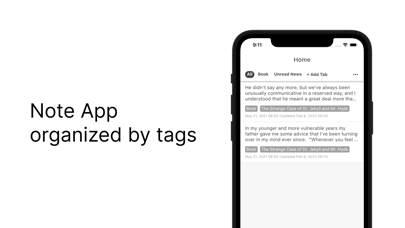
Tag Pad is a simple note pad application that allows you to organize your notes by tagging the notes.
■ Functions and Features
Tag Pad provides the following features.
- Tagging your notes
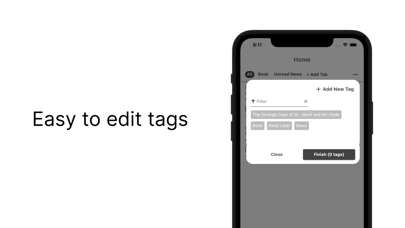
- Tag suggestion
- Auto save notes in the process of creation (draft function)
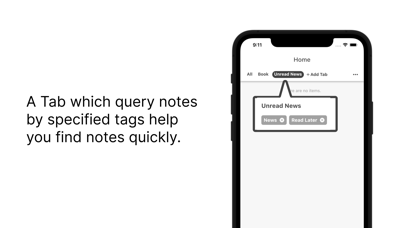
- Create custom tabs to filter by tags you specify.
- Keyword and tag search
- Sort notes
- Multi-platform: You can use the web version* in your browser
- Can be used immediately without registration
- Can be used offline without being connected to a network
- Dark mode support
■ Details of features
The details of each function of Tag Pad are as follows.
# Tagging of notes
You can create a new note by clicking the + button at the bottom right of the home screen. Up to five tags can be attached to a single note.
# Tag suggestion function
When entering tags, the tags you have set so far will be displayed as suggestions.
# Auto-save function for notes in the process of creation (draft function
After editing a note, if 15 seconds pass without saving it, it will be saved as a draft. Drafts can be viewed from the Drafts tab.
# Create custom tabs
You can create a custom tab by specifying tags to filter the note (multiple tags can be specified). Custom tabs can be used on the home screen. For example, if you create a custom tab filter your notes by the "Ideas" tag, only the "Ideas" notes will be displayed in the "Ideas" custom tab on the home screen. It is convenient to create a custom tab for tags that you review frequently.
# Keyword Search and Tag Search
You can search for keywords and tags in the Search tab. The keyword search supports AND searches separated by spaces. In the tag search, multiple tags can be specified, and if multiple tags are specified, an AND search will be performed.
In addition, up to 10 search conditions can be saved. The search history is automatically saved up to the last 10 searches.
# Sorting function for notes
You can change the sorting conditions from the Settings tab. You can change the order of the note list on the home screen when you change the sorting conditions.
# Tag Pad for Web
The web version of Tag Pad is available. You need to log in to use the web version. If you are already using the app version, please sign up for the app version and then login to the web version. The recommended browser is Chrome.
Web version URL:
https://tagpad.matsuchiyo.co