N Calendar - Planner & Agenda

N Calendar - Planner & Agenda Summary
N Calendar - Planner & Agenda is a free, ad-supported, with in-app purchases iOS app in Productivity by Komorebi Inc.. Released in Nov 2021 (4 years ago). It has 8.6K ratings with a 4.71★ (excellent) average. Based on AppGoblin estimates, it reaches roughly 21K monthly active users and generates around $<10K monthly revenue (26% IAP / 74% ads). Store last updated Mar 13, 2026
N Calendar - Planner & Agenda SDKs Summary
App not yet scanned for SDKs.
4.71★
Ratings: 8.6K
Screenshots



App Description
N Calendar is the most simple and easy-to-use Calendar app ever!
You don't have to need a calendar account. You can use this app without some calendar service!
It's perfect for those looking for a minimalist calendar app focused on functionality instead of extra (and sometimes unnecessary) features.
[Functions]
· No need account
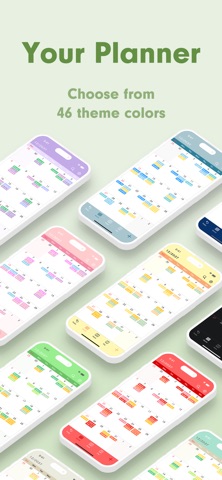
· 15 theme colors
· 6 size widgets
· Font size adjustment (10 sizes)
· Weekly calendar display
· Supports daily calendar
· Color coding by 15 colors
· Passcode
· iCloud backup
[Function Details]
■ No need account
This app has original database. So you don't have to prepare some calendar accounts.
You can use this app right now!
■ Adjust font size
You can choose from five font sizes of extra-small, small, medium, large, and extra-large.
You can also pick between light and bold font, to make prioritized events pop up better.
■ Monthly, weekly, and daily calendar
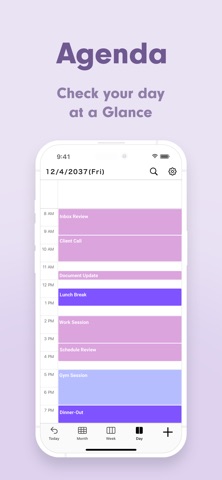
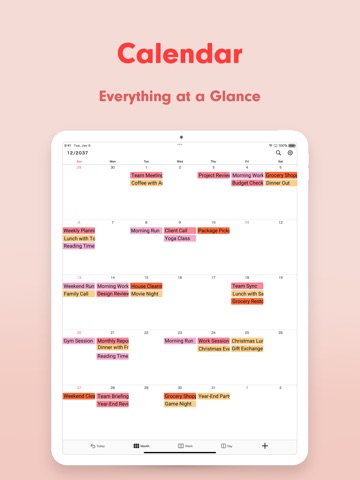
With one tap at the bottom of the screen, you can switch between monthly, weekly, and daily display.
■ Color coding
You can manage events clearly by color coding them. You can choose label colors from 15 colors.
■ Secure passcode lock
You can lock the app with a password securely, if you don't want people to see your calendars. Of course, it corresponds to Face ID, Touch ID as well.
■ Notification settings
You can set up notifications for scheduled events, at the event time and also 5 min, 15min, or more prior to the event so you don't miss important plans!
【Help/Inquiries】
Please visit "Help · FAQ" from the setting screen of the app. If this doesn't help, please contact us through "Inquiry / feedback" from the setting screen. We can respond to you much quicker this way, so please do so instead of asking us questions in the app review, since it takes a while for those to be reflected onto the page.