PDF Converter - PDF Scanner 24

PDF Converter - PDF Scanner 24 Summary
PDF Converter - PDF Scanner 24 is a free, with in-app purchases iOS app in Business by Cleaner LLC. Released in May 2021 (5 years ago). It has 3.2K ratings with a 4.65★ (excellent) average. Based on AppGoblin estimates, it reaches roughly 19K monthly active users and generates around $<10K monthly revenue (100% IAP / 0% ads). Store last updated Jul 21, 2026
Recent activity: -1 new ratings this week View trends →
SDK intelligence: AppGoblin detected 5 development tools(e.g. Google), 2 ad networks,and 1 analytics: product integrated into PDF Converter - PDF Scanner 24. View full SDK list →
PDF Converter - PDF Scanner 24 SDKs Summary
PDF Converter - PDF Scanner 24 was last scanned for SDKs on 2026-09-14. Below is the overview of third-party companies detected in the app. The full list of SDKs, permissions and unknowns is available here.
 Google
 AdMob
AdMob nanopb
 Alamofire
 SDWebImage
 Firebase
4.65★
Ratings: 3.2K
Screenshots
App Description
Experience the true power of a portable document scanner on the go with this PDF Scanner app for iPhone. Digitally archive important documents by scanning receipts, invoices, books, contracts, business cards, ID cards, passports, and QR codes, then convert them into high-quality, multipage PDFs.
The intelligent OCR technology recognizes text from scanned images with pinpoint accuracy, making it easy to extract, edit, and share content in seconds.
Key Features of PDF Scanner:
- Support for scanning with a flashlight in low-light conditions
- Scan documents, QR codes, ID cards, and Passports
- Import images via Photo Library, Dropbox, and Wi-Fi sync
- Crop, apply filters, correct, or change the orientation of scanned copies
- Choose from multiple scan filters, including Magic, B&W, Invert, and more
- Inbuilt OCR technology for text recognition and extraction
- Electronic signature support
- Add text to scanned documents
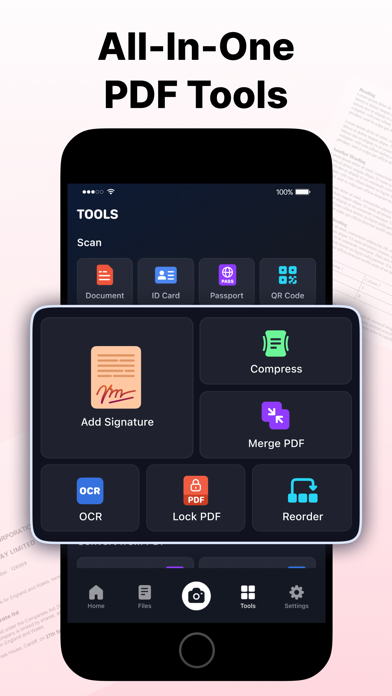
- Compress PDFs to reduce file size
- Lock PDFs with password protection
- Reorder pages in multi-page PDFs
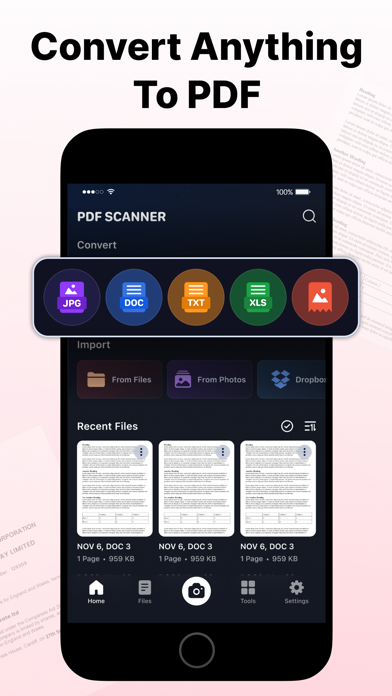
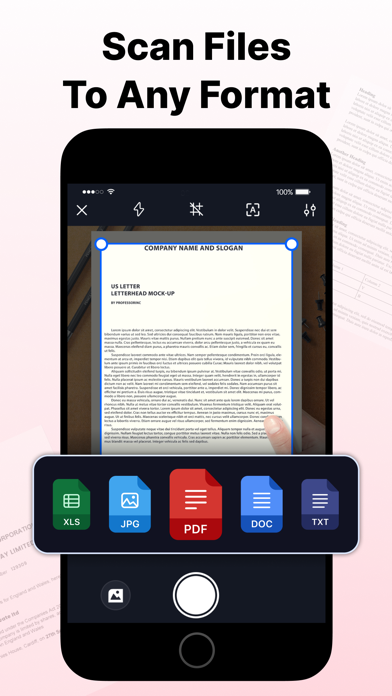
- Scan and export documents as JPG, PDF, DOC, TXT, XLS, Long Image, or in ZIPs
- Convert PDFs to JPG, DOC, TXT, XLS, or a Long Image
- Share scanned documents via Mail, iMessage, and more in just a few steps
Document Scanner
This document scanner app features a smart algorithm for accurate edge detection and low-light scanning. For even better results, manually adjust borders, orientation, and enhance your scans with professional filters, including Magic, B&W, Grayscale, Invert, Color Pop, Vintage, and Crisp Scan.
Advanced OCR & PDF Tools
Optical Character Recognition (OCR) accurately recognizes text from scanned documents and images, making it editable in seconds. Extract text, save documents as TXT files, or cut, copy, and share selected text. Compress large files, lock sensitive PDFs, reorder pages, and convert PDFs to JPG, DOC, TXT, XLS, or Long Image formats. Add text to annotate or complete your documents.
QR Code, ID Card & Passport Scanner
Scan QR codes instantly or create clear digital copies of ID cards and passports. Capture pages with your camera or import images from your Photo Library, then merge multiple scans into a single PDF. It's the perfect PDF scanner and PDF maker for personal and small business use.
Cloud Import & Electronic Signature
Access images stored in cloud services like Dropbox and scan them into PDFs