Patterns Calc -Calculator Tax+

Patterns Calc -Calculator Tax+ Summary
Patterns Calc -Calculator Tax+ is a ad-supported, with in-app purchases iOS app in Tools by Hikaru Satomi. Released in Jun 2021 (5 years ago). It has 2.00 ratings with a 5.00★ (excellent) average. Based on AppGoblin estimates, it reaches roughly 6.00 monthly active users and generates around $<10K monthly revenue (27% IAP / 73% ads). Store metadata: updated May 1, 2022.
Store info: Last updated on App Store on May 1, 2022 .
5★
Ratings: 2.00
Screenshots




App Description
— Features of Patterns Calc —
— Premium Features—
◉ One-handed mode
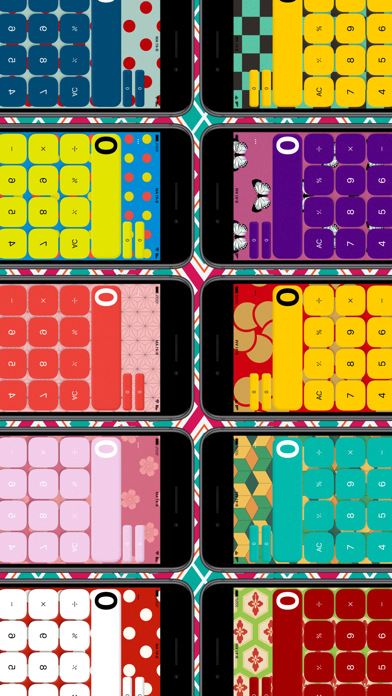
◉ Change Patterns as many times as you want
◉ Change the Patterns automatically
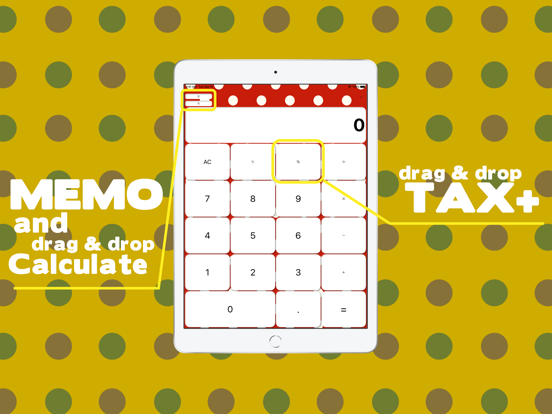
◉ Drag and drop the "Memo" button for easy calculation.
◉ Two memo function
— free Features —
◉ Drag-and-drop the "%" button to easily change the value to include tax.
◉ You can change the Patterns after see the reward ads
◉ Share your screenshot easily
◉ Many styles to choose
◉ Easy to read numbers
◉ Easy to press buttons
◉ Easy one memo function
◉ iPad compatible!
◉ Swipe right to correct.
◉ Swipe left to correct a single number.
◉ Change button color from black ⇄ white.
◉ Switch between "+", "-", "×", "÷" as many times as you like even if you make a mistake
What you can't do
The calculation method is not a "formula" method. The calculation method is not an "equation" method. The calculation is done in order, so「 x, ÷」 is not calculated first until you press "=" exsample is ( 10 + 20) × 3 = 90.
Maximum numbers will be performed up to 9,999,999,999 or -9,999,999,999 to damage the screen design
■■ Paid version ■■
Paid version has no ads and all functions are open!
・Memo becomes two.
・You can drag and drop memos and use them for calculations.
・You can enjoy changing the style in three modes "Preferred" "Every time I start it" and "Once a day"
・You will be able to use a simple "one-handed calculator" by simply sliding it.
●Restore Your Purchases
You can restore your purchases when you changed your iOS devices or reinstalled the app from [Restore Purchases] in the Settings -> Upgrade. Please note that you need to login to your iTunes settings in the iOS -> iTunes with the same Apple ID you used before.
●Manage or Cancel
Go to Settings > [your name] > iTunes & App Store.
Tap your Apple ID at the top of the screen.
Tap View Apple ID. You might need to sign in or use Touch ID.
https://support.apple.com/en-us/HT202039
●Payment will be charged to your Apple ID account at the confirmation of purchase.
●The subscription automatically renews unless it is canceled at least 24 hours before the end of the current period.
●Your account will be charged for renewal within 24 hours prior to the end of the current period.
●You can manage and cancel your subscriptions by going to your App Store account settings after purc