Lattics - "Brain-like" Writing

Lattics - "Brain-like" Writing Summary
Lattics - "Brain-like" Writing is a free, with in-app purchases iOS app in Productivity by Aura Marker Studio Co., Ltd.. Released in Mar 2022 (4 years ago). Store last updated Aug 26, 2026
Lattics - "Brain-like" Writing SDKs Summary
App not yet scanned for SDKs.
0★
Ratings: 0
Screenshots



App Description
Lattics' Mac version has been available for 5 years, designed for writers, students, researchers, and other professionals, significantly improving efficiency in writing novels, academic papers, project reports, and knowledge acquisition. Now, an iOS version is available as a supplement to the Mac version. However, due to the limitations of mobile interaction compared to computers, it is primarily for viewing and editing documents and cards. For full functionality, please download the Mac version. The Mac's and iOS's membership are compatible and do not require separate purchases.
Lattics' design principles follow the divergent thinking and the structured info organization of the human brain, providing an immersive, multi-perspective, multi-dimensional, and interconnected info to stimulate creative efficiency.
iOS version Key Features:
- Good Design: Excellent modern, minimalist, and stylish feel
- Card Library: take note as card
- Non-linear: Allows for chapter-based or card-based writing, with flexible organization and adjustment structure at any time
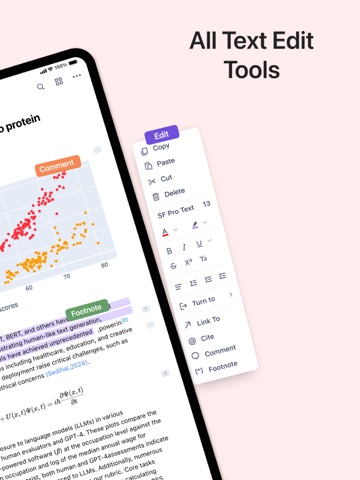
- Rich Editor: Supports text style, inline image and formula, footnote, comment, highlighting, multi-column, and text formatting
- Markdown syntax
- High Performance: A single article can reach 100,000 words without lag
- Block Elements: Use the "/" syntax to insert heading, text, list, image, code block etc
- Local Storage: Content is stored locally and not uploaded to any cloud, protecting data privacy and security
- Third-Party Sync: Supports OneDrive and WebDAV protocol
- Content Interconnection: Use the syntax "@" to establish bidirectional links between articles, cards, PDFs, and web pages. Backtracking through forward or backward links
- Citation: Automatically numbers citations and generates biblography. Switch citation styles with just one click
Mac version has more Features:
- AI-Assisted Writing: translation, proofreading, rewriting, and creative writing
- AI Deep Research: analysis of PDF content, and generation of reference citations.
- Visual Writing: Write intuitively with Project Outline, Graph, and Timeline
- Block Elements: Compared to the iOS version, it also supports tables, mathematical formulas, and chemical formulas, and allows dragging and dropping to move block elements.
- Style Template: Precisely set styles, font, font size, alignment, indentation, line spacing, paragraph spacing