Universal Remote TV For Roku

Universal Remote TV For Roku Summary
Universal Remote TV For Roku is a with in-app purchases iOS app in Tools by Thanh D Vo. Released in Jul 2021 (4 years ago). It has 2.9K ratings with a 4.57★ (excellent) average. Based on AppGoblin estimates, it reaches roughly 8.5K monthly active users and generates around $<10K monthly revenue (100% IAP / 0% ads). Store metadata: updated Feb 6, 2023.
Recent activity: 1.00 new ratings this week View trends →
Data tracking: SDKs and third-party integrations were last analyzed on Apr 19, 2025.
Store info: Last updated on App Store on Feb 6, 2023 .
4.57★
Ratings: 2.9K
Screenshots
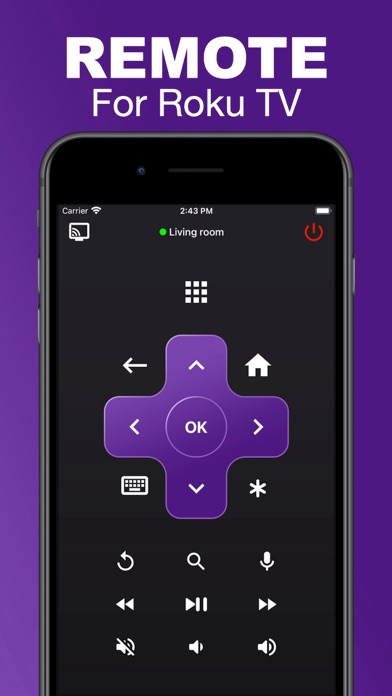


App Description
Easy to setup :
You need to connect your device to the same wifi network as your Roku. The application automatically detects the device to remote. or You can set up TV manually with IP address of your Roku
Note :
This app only works with TV with Roku System
ROKU POWERED™
Disclaimer:
- Universal Remote TV is not an affiliated entity of Roku, Inc either an official application product of Roku, Inc.
Auto Renewing Subscriptions
For auto renewing subscriptions completed in our iOS Apps following terms apply:
- Subscription: 3 days free then $0.99 per month
Payment will be charged to iTunes Account at confirmation of purchase.
Subscription automatically renews unless auto-renew is turned off at least 24-hours before the end of the current period.
Account will be charged for renewal within 24-hours prior to the end of the current period, and identify the cost of the renewal.
Subscriptions may be managed by the user and auto-renewal may be turned off by going to the user's Account Settings after purchase.
Any unused portion of a free trial period, if offered, will be forfeited when the user purchases a subscription to that publication, where applicable.
You can cancel a free trial or subscription anytime by turning off auto-renewal through your iTunes account settings. This must be done 24 hours before the end of a free trial or subscription period to avoid being charged. The cancellation will take effect the day after the last day of the current subscription period, and you will be downgraded to the free service.
Privacy Policy : https://sites.google.com/view/thanhdvo1911tou/home
Term Of Use : https://sites.google.com/view/touthanhdvo1911/home
Contact : https://sites.google.com/view/contactmethanhdvo1911/home