Home Widget for HomeKit · HW

Home Widget for HomeKit · HW Summary
Home Widget for HomeKit · HW is a free, with in-app purchases iOS app in Tools by Clement Marty. Released in Dec 2021 (4 years ago). It has 527 ratings with a 4.14★ (good) average. Based on AppGoblin estimates, it reaches roughly 1.4K monthly active users and generates around $<10K monthly revenue (100% IAP / 0% ads). Store last updated Sep 14, 2026
Home Widget for HomeKit · HW SDKs Summary
App not yet scanned for SDKs.
4.14★
Ratings: 527
Screenshots


App Description
Control your HomeKit home faster with fully customizable widgets.
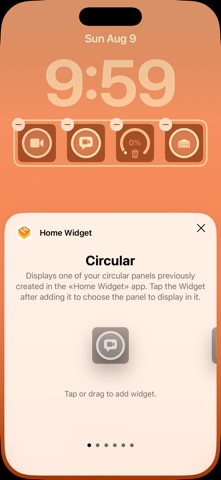
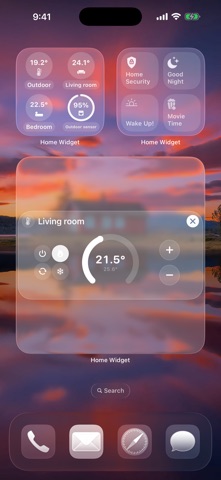
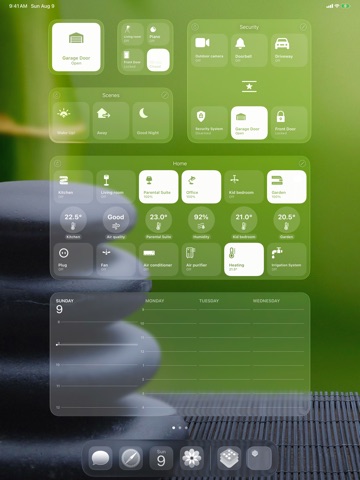
Home Widget brings your entire HomeKit setup — accessories, scenes, groups, sensors, cameras and shortcuts — right to your Home Screen, Lock Screen and Apple Watch. Build a panel in the app, add your accessories, place the widget: your everyday controls are always within reach.
YOUR HOME AT A GLANCE
Just like Control Center, every button reflects the actual state of your accessories: bright when a light is on, dimmed when it's off. Sensor readings, temperatures, blind positions — know what's happening without even opening an app.
ACT WITH A SINGLE TAP
With interactive widgets, turn accessories on or off or run a scene right from your Home Screen. Fine-tune your lights with the built-in dimmer, open the Home app or trigger your shortcuts whenever you need to.
YOUR CAMERAS ALWAYS IN SIGHT
Bring up any camera in one tap, or keep an eye on all of them at once with the camera mosaic.
ENDLESSLY CUSTOMIZABLE
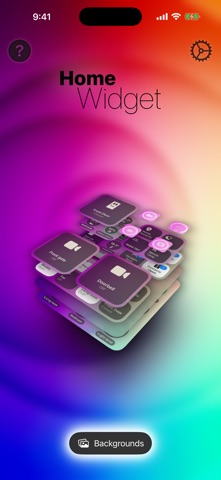
Pick the icon, name, color, background, transparency and blur of every single button. Four widget sizes — small, medium, large and extra large — to design a Home Screen that feels truly yours.
MADE FOR THE APPLE ECOSYSTEM
Your panels stay in sync across your devices through iCloud. Slip a widget into a stack, add it to Today View, and stay in control from your Lock Screen — always protected by Face ID or Touch ID.
Some features require Home Widget Premium, available as a one-time purchase or, if you prefer, as a monthly or yearly subscription.
Home Widget works with accessories already set up in Apple's Home app.
Questions or ideas? Write to us at contact@vision-apps.com — your feedback is what shapes the app.
The Vision-Apps team
HomeKit is a trademark of Apple Inc., registered in the U.S. and other countries and regions.
Terms of Use: https://www.apple.com/legal/internet-services/itunes/dev/stdeula/
Privacy Policy: https://vision-apps.com/website/en/privacy/