Red Sheet: PDF Study App

Red Sheet: PDF Study App Summary
Red Sheet: PDF Study App is a free, ad-supported, with in-app purchases iOS app in Education by Foodmenu.world Inc.. Released in Sep 2021 (5 years ago). It has 5.00 ratings with a 4.20★ (good) average. Based on AppGoblin estimates, it reaches roughly 7.00 monthly active users and generates around $<10K monthly revenue (27% IAP / 73% ads). Store last updated Sep 8, 2026
SDK intelligence: AppGoblin detected 4 development tools(e.g. Google), 2 ad networks, 1 analytics: product,and 1 business tools integrated into Red Sheet: PDF Study App. View full SDK list →
Red Sheet: PDF Study App SDKs Summary
Red Sheet: PDF Study App was last scanned for SDKs on 2026-07-31. Below is the overview of third-party companies detected in the app. The full list of SDKs, permissions and unknowns is available here.
 Google
 AdMob
AdMob Flutter
 nanopb
 SDWebImage
 Firebase
 RevenueCat
4.2★
Ratings: 5.00
Screenshots


App Description
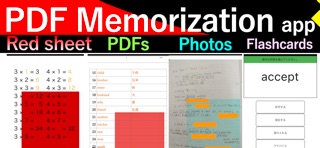
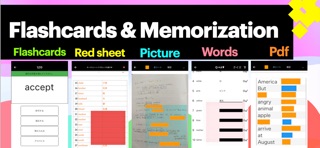
◆ All-in-One PDF Memorization App with Red Sheet Study
Turn your PDFs, notes, textbooks, handouts, and images into powerful study materials.
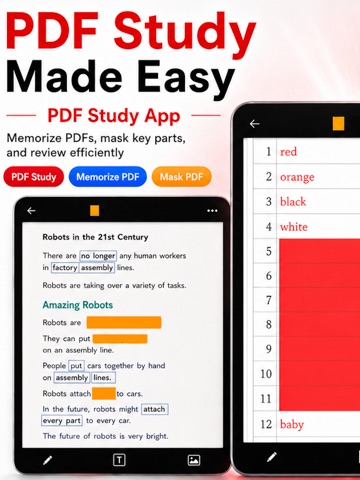
This app helps students memorize faster by hiding and revealing important parts of their own documents.
Import PDF files, photos, scanned notes, class handouts, worksheets, and study materials, then create memorization blocks directly on the page.
It works like a digital red sheet, flashcard maker, and PDF study tool in one simple app.
◆ PDF Memorization Made Simple
・Import PDF files and study directly from the page
・Hide words, definitions, formulas, diagrams, and answers
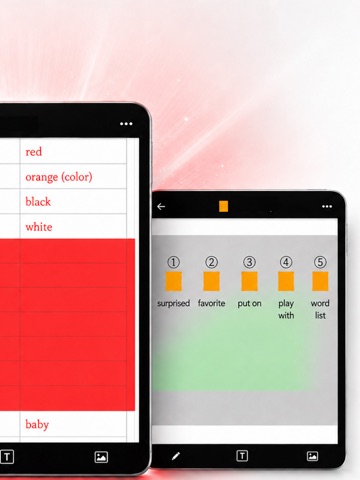
・Tap to reveal hidden areas while reviewing
・Use red sheet style memorization on PDF pages
・Study textbooks, school handouts, exam materials, and notes
・Create your own PDF memorization notebook
If you already study with PDFs, this app turns them into active memorization tools.
◆ Red Sheet Style Study for PDFs and Images
Use memorization blocks to cover the parts you want to remember.
Place blocks over text, formulas, diagrams, definitions, answers, or explanations.
・Hide text like using a red sheet
・Reveal answers by tapping
・Create blocks anywhere on a PDF or image
・Adjust block size by dragging the edges
・Change the color and style of blocks
・Use blocks for notes, textbooks, worksheets, and scanned documents
This is useful when you want to memorize from your own materials without rewriting everything into separate flashcards.
◆ Smooth Vertical Review for Memorization
Review multiple PDF pages and images smoothly.
Vertical scrolling makes it easy to study long documents, like moving a red sheet from top to bottom.
・Scroll vertically through study pages
・Review many PDF pages at once
・Memorize photos and handouts continuously
・Swipe between pages and cards
・Add more images when needed
・Study at your own pace
Useful for test prep, school study, certification exams, language learning, and daily review.
◆ Useful Study Tools
・One-tap show and hide for fast review
・Multiple memorization blocks for one page
・Auto-align blocks for cleaner layouts
・Zoom in with two fingers to study small text
・Hidden areas stay aligned even when zooming
・Add memo text to support memorization
・Hide memo text for self-testing
・Organize study decks by title or subject
Create separate study materials