Blur Video - AI Blur Maker

Blur Video - AI Blur Maker Summary
Blur Video - AI Blur Maker is a free, ad-supported, with in-app purchases iOS app in Photo And Video by Sohel Ibna Saad. Released in Sep 2021 (5 years ago). It has 10K ratings with a 4.59★ (excellent) average. Based on AppGoblin estimates, it reaches roughly 5.3K monthly active users and generates around $<10K monthly revenue (38% IAP / 62% ads). Store last updated Sep 4, 2026
SDK intelligence: AppGoblin detected 5 development tools(e.g. Google), 3 ad networks,and 1 analytics: product integrated into Blur Video - AI Blur Maker. View full SDK list →
Blur Video - AI Blur Maker SDKs Summary
Blur Video - AI Blur Maker was last scanned for SDKs on 2026-06-27. Below is the overview of third-party companies detected in the app. The full list of SDKs, permissions and unknowns is available here.
 Google
 Facebook
 AdMob
AdMob Airbnb Engineering
 nanopb
 Alamofire
 Firebase
4.59★
Ratings: 10K
Screenshots

App Description
Blur Video is one of the best video mosaic + blurring apps for iPhone that lets you quickly hide people, faces, backgrounds, text, logos, car license plates, or any objects in a video like a pro.
This all-in-one video editor lets you blur videos, generate AI videos from photos, and create engaging videos with professionally designed templates. Add stickers, text, and drawings to give every video a unique touch.
Key Features:
- Gaussian and Pixelate blur effects
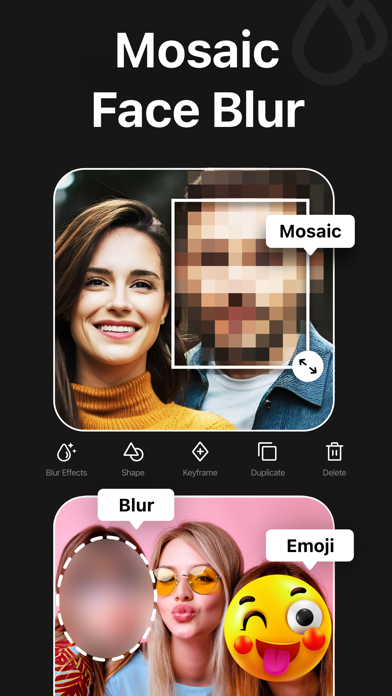
- Mosaic and blur faces in videos quickly and intelligently
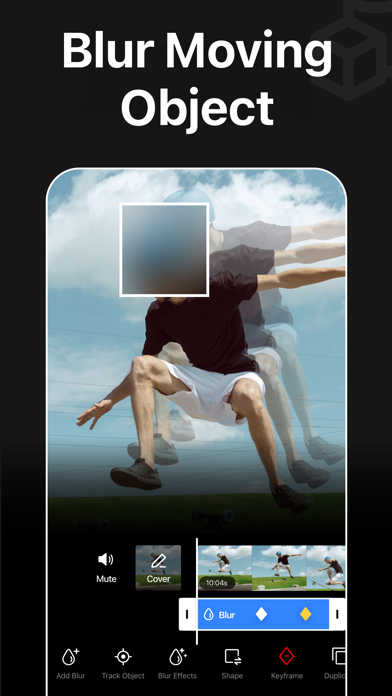
- Detect and track moving objects using AI
- Automatically blur the background with AI subject detection
- Rectangle and oval mosaic shapes
- Use color, emoji, or photos to censor
- Adjust mosaic intensity with precision
- Use video keyframes to hide moving objects manually
- Apply multiple stickers to your videos
- Add custom text overlays over video
- Export videos in 480p, 540p, 720p, 1080p and 4K resolution
- Save in MP4 or MOV video format
- HDR export for enhanced video quality
- Remove metadata to protect data and privacy
- Turn your imagination into videos using AI Video Generator
- Create trendy content in seconds using premium templates
- Share videos directly to Instagram, TikTok, Facebook, YouTube, and more
Robust Video Blurring
Blur Video app simplifies the whole blurring process. Censor faces or track objects in your videos with advanced artificial intelligence. Getting blurry faces or censored videos has never been this simple.
AI Face Blur
Automatically blur faces in your videos using intelligent AI detection. The mosaic app instantly identifies faces and keeps them accurately tracked throughout the entire clip, ensuring consistent, seamless blurring without any manual effort or setup.
Mosaic Multiple Moving Objects
Blur multiple objects in your videos with ease. Use AI-powered tracking to automatically follow moving elements, or take full control with manual keyframe tracking. Simply place keyframes where you want to hide content and fine-tune the position as the video plays for precise, professional results.
Smart AI Background Blur
Instantly blur the background while keeping your subject sharp and in focus. Advanced AI detection intelligently separates people from their surroundings and applies a smooth blur effect to the background.
How to mosaic + blur faces in a video using the Blur Video app?
With this app, you