Ecliptic Compass

Ecliptic Compass Summary
Ecliptic Compass is a mobile iOS app in Maps And Navigation by wing lun tong. Released in Sep 2021 (4 years ago). It has 3.00 ratings with a 5.00★ (excellent) average. Based on AppGoblin estimates, it reaches roughly 8.00 monthly active users . Store metadata: updated Nov 1, 2025.
Store info: Last updated on App Store on Nov 1, 2025 .
5★
Ratings: 3.00
Screenshots


App Description
Features:
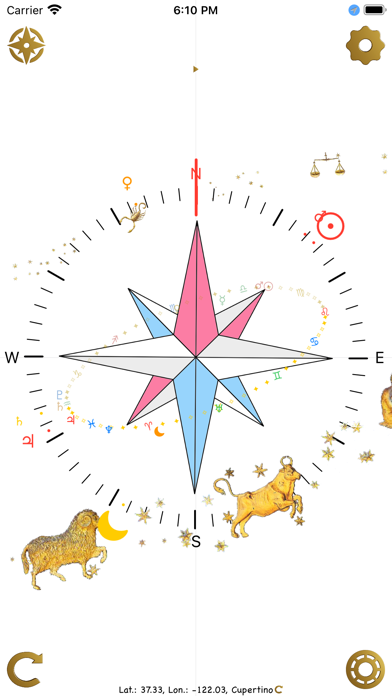
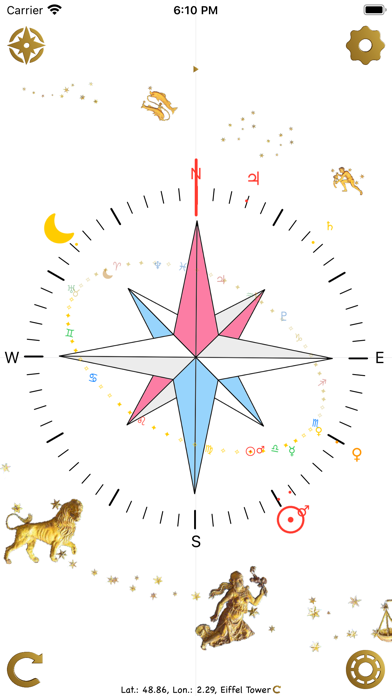
*Normal Compass(check the location shown in the bottom first. You can use the button in the bottom left to retrieve your current location)
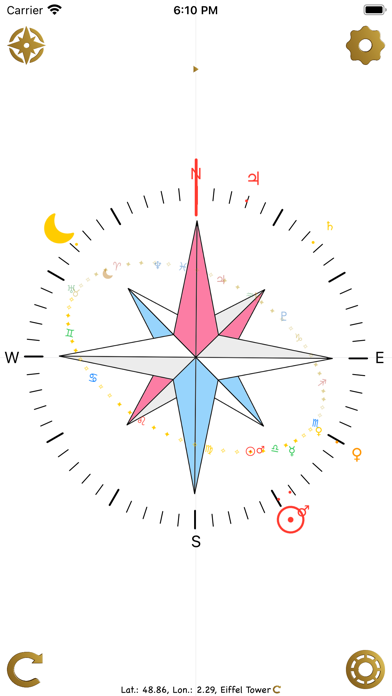
*Drawing the Ecliptic Plane, the Sun, the Moon and the planet symbols on the compass based on your location.
*Showing the Sun, the Moon and other visible planets directions(azimuth) on the compass based on your location.
*You can use the celestial bodies direction to confirm that the compass is pointing to the north. You can even using the celestial bodies' directions to manually rectify the compass pointing if it shows the pointer is offset by background noises.
*Horoscope chart based on current time and location.
*Custom time and location for the ecliptic plane view and horoscope view
*10 random locations to see what the sky looks like in other locations.
This is not just another compass App. Other than the normal compass feature. The Sun, the Moon and other planets' direction are also shown on the compass so that you know if the compass is affected by the background noise or not.
We all know that the compass is easy to be interfered when you are inside a concrete house, near electronics or some other situations. But currently the built-in compass could not neutralize those background magnetic fields.
Here comes this Ecliptic Compass app, you could use the Sun, the Moon's or even some planets' azimuth(direction) to know that if the compass is pointing to the north and you are heading to the right direction. As long as you could see the celestial bodies in the sky.
Manually rectifying the compass, if you find that the Sun or the Moon's direction in the sky is offset quite a bit from the computed direction. You could use the Manual Rectification feature to temporarily to override the pointer so that your could still get the right direction.
Power efficient, the app is designed to work offline most of the time. No unnecessary feature/APIs is called, No data collection. The location service only tries to get your coordinates at start-up or when you tap the big refresh button from surrounding hotspots, data or GPS. It uses data only when you want to use the map to retrieve a place's coordinates. You can also use the offline location database to search for the latitude/longitude from over 40 thousand cities and towns. Location database is provided by Simplemaps.com under Creative Commons Attribution 4.0.
Colorful