Dialer Vault Secret Photo Lock

Dialer Vault Secret Photo Lock Summary
Dialer Vault Secret Photo Lock is a free, ad-supported, with in-app purchases iOS app in Photo And Video by dipen narola. Released in Nov 2021 (4 years ago). Store last updated Feb 2, 2026
Dialer Vault Secret Photo Lock SDKs Summary
App not yet scanned for SDKs.
0★
Ratings: 0
Screenshots

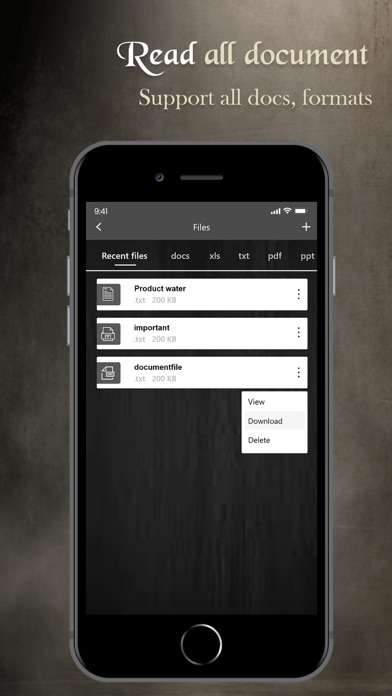


App Description
Dialer Vault: Your Ultimate Privacy Vault
Experience unmatched privacy and security with Dialer Vault, the all-in-one solution for safeguarding your sensitive data. Join millions of users who trust this app to protect their personal files, credentials, documents, and recordings. Keep your private moments secure with innovative features and cutting-edge encryption technology.
Why Choose Dialer Vault?
Dialer Vault offers a unique and discreet way to store your personal files, providing a highly secure environment that keeps your data safe from prying eyes. From confidential documents to audio recordings, Dialer Vault ensures your privacy with advanced protection features.
Key Features:
Secure Vault Access:
Lock and protect your private data with a password-protected vault, offering an intuitive and easy-to-use interface.
Advanced Privacy Tools:
Store confidential files, sensitive documents, passwords, and personal notes securely within the app.
Audio Recording Vault:
Save and manage call recordings, voice memos, and other sound files effortlessly in a protected space.
Dynamic Lock Screen:
Set up a unique number-based lock using the app's innovative dialer interface for added security.
Emergency Exit:
Quickly switch to another app when you face down your screen, ensuring maximum discretion.
Offline Storage:
All your data is stored locally on your device, ensuring it remains under your control.
Organized Storage:
Manage your files with folders and albums, making it easy to find and access your data.
Enhanced Privacy Features:
Password Recovery: Forgot your password? Use the secure password recovery option with your security questions.
No Online Storage: Your files are stored locally on your device. Always back up your data before switching devices or uninstalling the app.
Fake Vault Mode: Set up 2nd vault for added protection and peace of mind.
How to Use Dialer Vault?
Launch the app and set your password using the intuitive dialer interface.
Confirm your password to secure your vault.
Start importing files, recordings, and documents to protect them in your vault.
Protect Your Privacy with Premium Features:
Unlock the premium version to enjoy an ad-free experience and access advanced features for enhanced security. Premium renews automatically unless you turn off auto-renewal in your account settings.
FAQ:
Forgot Your Password?
Enter your incorr