Smooth Note (with Folders)

Smooth Note (with Folders) Summary
Smooth Note (with Folders) is a ad-supported, with in-app purchases iOS app in Productivity by Syncly Applications. Released in Oct 2021 (4 years ago). It has 39 ratings with a 4.77★ (excellent) average. Based on AppGoblin estimates, it reaches roughly 118 monthly active users and generates around $<10K monthly revenue (50% IAP / 50% ads). Store metadata: updated May 19, 2022.
Store info: Last updated on App Store on May 19, 2022 .
4.77★
Ratings: 39
Screenshots


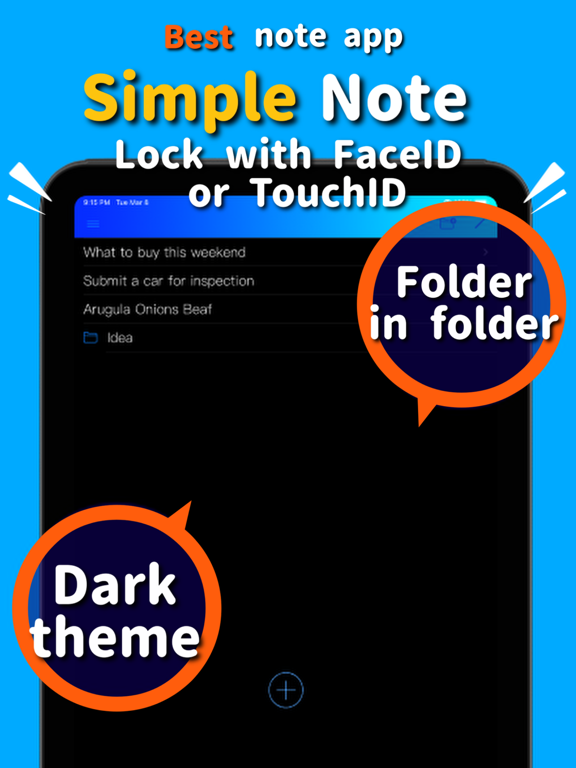


App Description
The simplest and most convenient memo app. Since there is no character limit, it is also suitable for notebooks and manuscripts.
・ Dark mode compatible
・ Folder in folder function
・ App launch is fast
・ Support available
・ Character count
・ Font and size can be changed
・ Convenient copy and paste button
・ Swipe the screen to the right to return
・ Abundant color variations
・ Voice input is also possible with iPhone settings
・ Can be sent by email
・ You can share notes on SNS
・ Easy data migration
・ If you don't need various functions, you can turn it off in the settings.
・ We also accept requests for new features
■ Recommended use
・ Todo list
·Shopping list
・ As a draft of the document. For example, reports, minutes, sentences, novels, lyrics, etc.
・ Write down the idea
I will explain how to use the app for each screen.
■ List screen
This screen allows you to see a list of memos and folder titles. If you set the dark mode, it's easy on your eyes. You can view and edit the memo by tapping the line of the memo. Tap a folder line to go to the screen inside that folder.
If you delete a folder, you can delete all its contents.
● Add new button (round + mark) → Go to the screen for registering a new memo.
● Add folder button → You can add a folder to the displayed location. You can register a folder in a folder without any upper limit, such as registering a folder in a folder and then registering a folder in that folder.
● Edit button (pencil mark) → You can rearrange the lines. You can easily change the folder name by pressing the i button displayed in edit mode. You can move them to another location by selecting the rows in edit mode and pressing the round folder move button. Of course, you can move notes and folders.
■ Folder move screen
If you press the round check button while the screen you want to move to is displayed, you will be moved to that folder.
● Add folder button → You can register a folder in that location.
■ Memo screen
You can view and edit your notes in your favorite font. There is a text full selection button and a copy / paste button, so you can easily transfer data to and from other apps. Swipe the screen to the right to save the text you have entered and easily return to the list screen. You can rest assured that it will be saved automatically even if you receive a call and